
Free VPN for your Android phone? You’re not alone — and you’re also walking into one of the messiest corners of the Play Store. Type “free VPN” into the search bar, and you’ll get hundreds of results, most of them promising unlimited speed, unlimited servers, and rock-solid privacy, all for zero rupees or zero dollars. Sounds great. Except a huge chunk of those apps are doing the exact opposite of what a VPN is supposed to do — logging your activity, injecting ads, or in some cases, quietly selling your data to whoever’s buying.
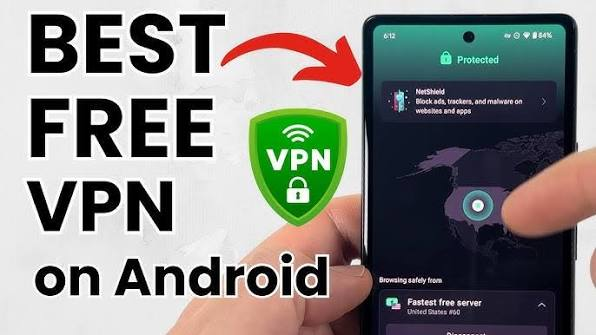
So, which free VPNs for Android are actually safe to use in 2026? This guide breaks down the ones worth installing, the ones worth avoiding, and what to realistically expect from a free plan versus a paid one.
best free VPN for Android in 2026 can be challenging, especially with so many apps promising fast speeds, unlimited data, and complete privacy. While some free VPNs deliver reliable performance and strong security, others may limit your data, show excessive ads, or collect user information. That’s why choosing a trusted VPN provider is essential for protecting your online privacy.
A good free Android VPN should offer secure encryption, a no-logs policy, stable connections, and easy-to-use apps without compromising your personal data. Whether you want to browse safely on public Wi-Fi, access geo-restricted content, or add an extra layer of privacy to your internet connection, the right VPN can make a significant difference.
In this guide, we’ll review the best free VPNs for Android in 2026, comparing their features, security, performance, limitations, and ideal use cases. Whether you’re a casual user or need a dependable VPN for everyday browsing, you’ll find a free option that fits your needs.
Why People Look for a Free VPN on Android
Before we get into the list, it helps to know what you’re actually trying to solve. Most people reach for a VPN on their phone for one of these reasons:
- Public Wi-Fi safety — using the VPN at a coffee shop, airport, or college campus where the network isn’t secured.
- Getting around blocked content — accessing a website or app that’s restricted in your country or on your college/office network.
- Basic privacy — keeping your mobile carrier or Wi-Fi provider from seeing which sites you visit.
- Price comparisons or regional deals — some shopping and travel sites show different prices depending on your location.
A free VPN can genuinely help with the first three. For the fourth, and for anything involving streaming, free plans usually fall short — more on that below.
What to Actually Check Before Installing a Free VPN
A lot of free VPN apps on the Play Store look polished but hide bad practices behind the scenes. Before you install anything, it’s worth checking a few things:
- Does it have a clear no-logs policy? If the app’s privacy page is vague about what it collects, that’s a red flag.
- Has it been independently audited? A few of the trustworthy names on this list have had their no-logging claims verified by outside security firms — that’s a big deal, because otherwise you’re just taking their word for it.
- Is there a data cap? Some “free” VPNs give you a small amount of data (like 500MB-2GB) per month, which is fine for occasional use but won’t last if you’re browsing daily.
- Does it show ads or ask for excessive permissions? If a free VPN wants access to your contacts or messages, that’s not normal for a VPN app and should raise questions.
With that out of the way, here are the free Android VPNs actually worth your time this year.
1. Proton VPN — Best Overall Free VPN for Android
Proton VPN‘s free tier is the rare one that doesn’t feel like a stripped-down trial. There’s no data cap, no ads, and no logging — which is honestly hard to find in a free VPN. The team behind it also built Proton Mail, so privacy isn’t a side feature here; it’s the whole business.
You get access to server locations in a handful of countries (not dozens, but enough to get by), and the app automatically connects you to the fastest available server. It also comes with a kill switch, which cuts your internet if the VPN connection drops, so you’re never accidentally browsing unprotected.
Pros:
- No data limits — use it as much as you want
- No ads inside the app
- Open-source and independently audited, so the privacy claims are actually verified
- Kill switch included, even on the free plan
Cons:
- Limited to a handful of server locations on the free plan
- Doesn’t reliably unblock streaming services like Netflix
- Speeds can dip during peak hours since free servers get more traffic
Example use case: You’re at a café working off public Wi-Fi and want to check your bank balance without worrying about someone snooping on the network — Proton VPN’s free plan handles that comfortably, with no data cap to worry about.
2. Windscribe — Best for Extra Privacy Tools
Windscribe‘s free plan gives you a decent chunk of monthly data (around 10GB if you sign up with an email, less if you don’t) along with a built-in firewall feature that blocks your real IP from leaking if the connection drops unexpectedly.

What makes it stand out is the amount of control it gives you for a free product — you can pick specific server locations rather than just getting auto-connected, and it includes ad and tracker blocking on top of the VPN itself.
Pros:
- Generous free data allowance compared to most competitors
- Lets you choose your server location, not just auto-connect
- Built-in ad and tracker blocking
- No IP or DNS leaks in independent testing
Cons:
- 10GB monthly cap will run out fast if you stream or download often
- Streaming support is hit-or-miss on the free tier
- Interface has a lot of settings, which can feel like a lot for first-time users
Example use case: A college student who wants to browse and stream music safely on campus Wi-Fi, with enough monthly data to cover regular daily use without paying anything.
3. PrivadoVPN — Best for Speed
If your main concern is a VPN slowing down your phone, PrivadoVPN‘s free plan has consistently tested faster than most other free options — some tests have clocked speeds well over what you’d need for smooth video calls or browsing.
It gives you a small monthly data allowance, which is the main trade-off, but for short bursts of use — like securing a single flight’s worth of airport Wi-Fi — the speed makes a real difference.
Pros:
- Noticeably faster than most other free VPNs
- Decent server selection for a free plan
- Simple, no-fuss app that’s easy to set up
Cons:
- Data cap limits it to lighter, occasional use
- Hasn’t committed to a third-party privacy audit, unlike some competitors
- Customer support is limited compared to bigger names
Example use case: You’re traveling and need quick, reliable access to your email and maps app over hotel Wi-Fi without lag — PrivadoVPN’s speed makes it a solid short-term pick.
4. Hotspot Shield — Best for No Time Limits
Hotspot Shield‘s free version doesn’t put a countdown on how long you can use it, which sets it apart from a lot of “free trial” VPNs that quietly expire after a week. It also holds up well on speed, with barely any noticeable slowdown in most tests.
The catch is that it’s not as privacy-focused as Proton VPN or Windscribe — it does collect some usage data, so if privacy is your main concern rather than just general safety, it’s worth keeping that in mind.
Hotspot Shield is a popular free VPN for Android that stands out by allowing users to stay connected without session time limits. Unlike some free VPNs that disconnect users after a certain period, Hotspot Shield lets you browse continuously, making it a convenient option for everyday internet use. Its Android app is simple to install and offers a one-tap connection, making it suitable for both beginners and experienced users.
The VPN uses strong encryption to secure your internet traffic and protect your personal information when connected to public Wi-Fi networks. It is a good choice for activities such as web browsing, social media, online shopping, and checking emails securely. The app also delivers reliable connection speeds for general browsing, although performance may vary depending on server load.
The free version comes with some limitations, including access to a limited number of server locations and advertisements within the app. It may also be less suitable for users who need to stream content from multiple countries or require advanced privacy features. Upgrading to the premium plan unlocks more servers, faster speeds, and additional security features.
Pros:
- No expiry date on the free plan
- Very fast, with minimal speed loss
- Includes basic malware-blocking, which is rare on a free plan
Cons:
- Collects some user data, which may bother privacy-focused users
- Limited to one server location on free plan
- Frequent upgrade prompts nudging you toward the paid version
Example use case: Someone who just wants a reliable, always-available VPN for everyday browsing and isn’t overly concerned about strict no-logging guarantees.
5. TunnelBear — Best for Simplicity
TunnelBear won’t win any awards for data allowance — its free plan caps out at just 2GB a month, which is on the low side. But what it does offer is one of the friendliest, easiest apps to use, with a simple one-tap connection and clear, plain-language explanations of what’s happening at every step.
It’s a good pick if you’re new to VPNs in general and want something that won’t confuse you with technical settings.
TunnelBear is an excellent free VPN for Android users who want a simple, beginner-friendly experience. Its clean interface, one-tap connection, and playful design make it one of the easiest VPN apps to use, even if you’ve never used a VPN before. Despite its simplicity, TunnelBear provides strong security with AES-256 encryption, a strict no-activity-logging policy, and protection while browsing on public Wi-Fi.
The free plan gives users access to servers in multiple countries, making it useful for secure browsing and occasional access to region-restricted websites. TunnelBear also includes helpful security features such as VigilantBear (its kill switch), which helps protect your data if the VPN connection unexpectedly drops.
The main drawback is its limited monthly data allowance, making it less suitable for streaming HD videos, downloading large files, or extended daily use. However, for light browsing, checking email, online banking, and protecting your privacy while traveling, the free plan is more than sufficient.
Pros:
- Extremely easy to set up and use, even for first-timers
- Transparent about what it does and doesn’t protect
- No IP or DNS leaks in independent security tests
Cons:
- 2GB monthly cap is quite limiting
- No Fire TV or router support
- Not a good option for streaming or downloading
Example use case: A first-time VPN user who just wants something simple to turn on occasionally while using public Wi-Fi, without needing to understand server lists or protocols.
Free VPN Apps to Be Careful With
Not every “free unlimited VPN” app on the Play Store is what it claims to be. Some advertise no data caps and no sign-up required — and while that sounds convenient, a service with unlimited free servers needs to make money somehow. Often that means collecting and reselling browsing data, showing intrusive ads, or using weaker encryption behind the scenes.
Before installing any lesser-known free VPN, check its permissions list and privacy policy carefully. If an app asks for access to things a VPN has no reason to need — like your messages or contacts — that’s worth pausing on.
Free vs Paid: What You’re Actually Giving Up
It helps to be upfront about this: free VPNs are genuinely useful for basic privacy and occasional use, but they come with real trade-offs compared to paid plans.
- Server locations — free plans usually give you a handful of countries, paid plans often cover 60+.
- Streaming access — most free VPNs can’t reliably unblock Netflix, Disney+, or similar services; paid VPNs are built for this.
- Speed under load — free servers are shared by more users, so you’ll notice more slowdown during busy hours.
- Data limits — several free plans cap you at 2-15GB a month, which doesn’t go far if you’re a heavy user.
If you only need occasional protection on public Wi-Fi, a free plan covers you fine. If you’re streaming regularly, working remotely, or need consistent speed, it’s worth budgeting for a paid plan — even a basic one closes most of these gaps.
How to Set Up a Free VPN on Android
Getting started takes a couple of minutes:
- Download the VPN app directly from the Google Play Store — avoid sideloading APKs from random websites.
- Open the app and create an account if required (Proton VPN and Windscribe need a free sign-up; some others don’t).
- Grant the VPN permission when prompted — Android will ask you to confirm this once.
- Tap “Connect” or “Quick Connect” to link to the nearest or fastest server.
- If you want a specific country, choose it manually from the server list before connecting.
That’s it — once connected, you’ll see a small key icon in your status bar confirming the VPN is active.
Frequently Asked Questions
Is it safe to use a free VPN on Android?
It depends entirely on which one. Free VPNs from established, audited providers like Proton VPN or Windscribe are safe to use. Lesser-known apps promising “unlimited free VPN, no sign-up” are riskier, since they often make money by collecting and selling user data instead of charging a subscription.
Will a free VPN slow down my phone’s internet?
Yes, to some extent — this is normal for any VPN, free or paid, because your traffic is being encrypted and routed through an extra server. Free VPNs tend to slow things down more since more people share their servers. PrivadoVPN and Hotspot Shield tend to hold up best on speed among the free options.
Can I use a free VPN to watch Netflix or other streaming apps?
Not reliably. Most streaming platforms actively block known VPN server addresses, and free VPNs usually don’t have the resources to keep up with that cat-and-mouse game. If streaming access matters to you, a paid VPN is a better bet.
Do free VPNs work in countries with internet restrictions?
Some do. Windscribe, for example, has specific settings built to get around network censorship in certain regions. Results can vary though, so it’s worth checking recent reviews for your specific country before relying on it.
How much data do I actually need from a free VPN?
For light use — checking email, browsing, occasional social media on public Wi-Fi — even 2-5GB a month is usually enough. If you’re streaming videos or making video calls regularly over the VPN, you’ll want a plan with higher or unlimited data, like Proton VPN’s free tier.
Do I need to keep the VPN on all the time?
Not necessarily. Many people only turn it on when using public or untrusted Wi-Fi, like at a café, airport, or hotel. If privacy from your home internet provider matters to you too, keeping it on more consistently makes sense — just keep an eye on your data allowance if you’re on a capped plan.
Conclsion
A free VPN can absolutely do the job for everyday privacy and public Wi-Fi safety — you just need to pick one with a real track record instead of the flashiest promises on the Play Store. Start with Proton VPN or Windscribe if you’re unsure where to begin; both have earned their reputation the hard way, through actual audits and years of consistent use, rather than marketing alone.

