
If you just got a MacBook Air M1 and you’re looking for a free VPN to go with it, you’re in the right place. The M1 chip changed a lot about how software runs on Mac — and not every VPN has kept up. Some free VPNs that work fine on older Intel Macs run into compatibility issues on M1. Others work but are so slow or limited that they’re barely usable.
This guide cuts through the noise. Below are the best free VPNs that genuinely work on the MacBook Air M1, what each is good for, and what to watch out for before installing anything.
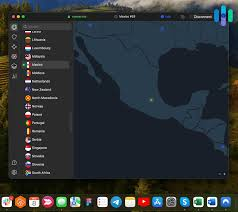
Free VPNs for MacBook Air M1. The MacBook Air M1 remains a popular laptop thanks to its excellent performance, long battery life, and efficient Apple Silicon architecture. Whether you use your MacBook Air M1 for browsing, streaming, remote work, online banking, or public Wi-Fi connections, a VPN can help improve your online privacy and security.
A Virtual Private Network (VPN) encrypts your internet traffic and routes it through secure servers, making it more difficult for third parties to monitor your online activity. VPNs can also help protect your data when using public Wi-Fi networks and provide access to content available in different regions, subject to local laws and service terms.
Many VPN providers now offer native Apple Silicon support, ensuring smooth performance and low battery consumption on MacBook Air M1 devices. Free VPN options are particularly attractive for students, casual users, and anyone who wants basic online protection without paying for a subscription. However, free VPN services often come with limitations such as data caps, fewer server locations, reduced speeds, or advanced features being reserved for paid plans.
In this guide, we’ll explore the best free VPNs for MacBook Air M1 in 2026, compare their features, discuss their advantages and limitations, and help you choose a secure and reliable option for your needs. Popular choices include free plans from providers such as Proton VPN, Windscribe, and hide.me VPN, all of which offer dedicated macOS applications compatible with Apple Silicon Macs.
Why MacBook Air M1 Users Need to Be Careful With Free VPNs

The M1 chip uses ARM architecture instead of the older Intel x86 setup. Most major VPN apps have updated their Mac clients to support this natively, but some free VPNs — especially lesser-known ones — still run through Rosetta 2 (Apple’s compatibility layer) or haven’t updated at all.
Running through Rosetta 2 isn’t dangerous, but it does mean slower performance and higher battery drain — two things M1 users specifically care about, since the whole point of the M1 is efficiency.
Beyond compatibility, free VPNs generally come with trade-offs: data caps, server limits, slower speeds, or, in the worst cases, questionable privacy practices. Knowing which ones are trustworthy makes a real difference.
Best Free VPNs for MacBook Air M1 in 2026
1. Proton VPN Free
Best for: Privacy-focused users who want no data cap
Proton VPN‘s free plan is the most generous among legitimate free VPNs — and that’s not a close call. There’s no data limit. You can browse, stream, or work all day without hitting a wall. For MacBook Air M1 users, the app is fully native and runs cleanly without any compatibility issues.
How it works in practice: Say you’re working from a coffee shop and you want to make sure your banking session is encrypted. You open Proton VPN, connect to the free server (you get access to servers in the US, Netherlands, and Romania on the free plan), and browse normally. No setup needed beyond installing the app.
The free plan doesn’t support streaming or torrenting, and you only get one device. But for basic privacy protection and secure browsing, it’s hard to beat — especially since Proton’s no-logs policy has been independently audited.
Pros:
- No data cap — completely unlimited
- Strong privacy reputation (based in Switzerland)
- Native M1 support
- No ads, no tracking
- Open-source apps
Cons:
- Only 3 server locations on the free plan
- One device at a time
- Speeds can be slow during peak hours
- No streaming support on the free tier
2. Windscribe Free
Best for: Users who want more server variety without paying

Windscribe gives you 10GB of data per month on the free plan — and up to 15GB if you confirm your email. That’s enough for regular browsing, some light streaming, and working a few times a week remotely. The Mac app works natively on M1 and has a clean, simple interface.
How it works in practice: You’re traveling and want to access a website that’s blocked in the country you’re visiting. Windscribe’s free plan gives you access to servers in 10+ countries, so you have real options — not just one or two locations like many free VPNs offer.
Windscribe also has a built-in ad and tracker blocker called R.O.B.E.R.T., which is available even on the free plan. It works at the DNS level, so it blocks ads across your entire browser — not just specific sites.
Pros:
- 10–15GB monthly data (generous for a free plan)
- Servers in 10+ countries
- Built-in ad and tracker blocker
- Native M1 app
- No device limit on the free plan
Cons:
- The monthly data cap can run out if you stream video
- Speeds vary by server location
- No 24/7 customer support on the free tier
- Some servers are only available on paid plans
3. TunnelBear Free
Best for: Beginners who want something simple and trustworthy
TunnelBear is probably the most beginner-friendly VPN on this list. The app is well-designed, easy to understand, and doesn’t throw confusing settings at you. You pick a country, flip a switch, and you’re connected. The free plan gives you 2GB per month, which is limited, but TunnelBear has one of the best track records for transparency in the free VPN space.

How it works in practice: You’re on a university Wi-Fi network, and you want to make sure your traffic isn’t being monitored. TunnelBear connects in seconds. The app even has a visual “tunnel” animation that shows you which country your traffic is routed through — a small thing, but it makes the whole concept intuitive for first-time VPN users.
TunnelBear publishes annual transparency reports and has completed independent security audits every year since 2017. For a free tool, that level of accountability is rare.
Pros:
- Very easy to use — great for beginners
- Trustworthy with annual security audits
- Works natively on M1
- Servers in 47 countries (even on the free plan)
- No logs policy
Cons:
- Only 2GB per month — runs out fast
- No streaming support
- Slower speeds on the free tier
- Customer support is limited for free users
4. Hide.me Free
Best for: Users who need decent speed and a clean privacy policy
Hide.me has been around for a while, and its free plan is solid. You get 10GB per month and access to 5 server locations. The app is straightforward, the speeds are better than most free VPNs, and it doesn’t log your activity.

How it works in practice: You regularly use public Wi-Fi at airports or hotels during business trips. Hide.me free gives you enough data to stay protected throughout a typical trip without hitting the cap mid-journey. The connection is stable, and the Mac app doesn’t drain your battery noticeably — important when you’re away from a charger.
Hide.me is also based in Malaysia, which is outside major intelligence-sharing alliances (the 5/9/14 Eyes). For users who are particular about jurisdiction, that matters.
Pros:
- 10GB monthly data
- Good speeds compared to other free options
- No logs, outside 14 Eyes jurisdiction
- Works on M1 natively
- Supports multiple protocols,s including WireGuard
Cons:
- Only 5 server locations on the free plan
- One device on the free tier
- No P2P/torrenting support
- Interface feels slightly dated
5. Hotspot Shield Free
Best for: Users who prioritize connection speed
Hotspot Shield is known for speed — it uses its own Catapult Hydra protocol, which is genuinely faster than standard OpenVPN in many real-world tests. The free plan limits you to one server location (US) and 500MB per day, which comes out to roughly 15GB per month if you use it every day.

How it works in practice: You want to watch a YouTube video that’s blocked in your region, or you need a quick, secure connection for a one-off task. Hotspot Shield connects fast, the speeds hold up, and for short sessions,s it’s one of the smoothest free VPN experiences available on Mac.
The catch is the US-only server restriction on the free plan. If you need to appear to be in a specific country other than the US, this isn’t the tool for that.
Pros:
- Fast connection speeds
- ~15GB monthly data (500MB/day)
- Easy to use on Mac
- M1 compatible
Cons:
- Only the US server is on the free plan
- Daily data cap rather than monthly
- Shows ads on the free tier
- Owned by Aura — privacy policy worth reading carefully
Side-by-Side Comparison
| VPN | Data Limit | Server Locations | M1 Native | Best For |
|---|---|---|---|---|
| Proton VPN | Unlimited | 3 countries | Yes | Privacy-first users |
| Windscribe | 10–15GB/month | 10+ countries | Yes | Server variety |
| TunnelBear | 2GB/month | 47 countries | Yes | Beginners |
| Hide.me | 10GB/month | 5 locations | Yes | Speed + privacy |
| Hotspot Shield | ~15GB/month | US only | Yes | Fast connections |
What to Look for When Choosing a Free VPN for M1 Mac
Native M1 support: Always check whether the app runs natively on Apple Silicon. You can verify this on your Mac by going to Activity Monitor, finding the VPN process, and checking the “Kind” column. It should say “Apple,” not “Intel.”
No-logs policy: A VPN that logs your browsing data isn’t really protecting your privacy. Look for providers that have had their no-logs policies independently verified — Proton VPN and TunnelBear both have this.
Data limits that match your usage: If you browse lightly, 10GB a month is fine. If you stream video regularly, you’ll burn through that quickly. Proton VPN’s unlimited free plan is the only one that genuinely doesn’t restrict your data.
Kill switch availability: A kill switch cuts your internet if the VPN drops unexpectedly, so your real IP doesn’t get exposed. Some free VPNs include this (Proton VPN does on free), others don’t.
Avoid free VPNs with no clear business model. If a VPN is completely free and there’s no paid tier, no company behind it, and no transparency about how it makes money — that’s a red flag. Some sketchy free VPNs monetize by selling user data, which defeats the entire purpose.
Common Use Cases on MacBook Air M1
Secure browsing on public Wi-Fi: Coffee shops, airports, libraries — any open Wi-Fi is a potential risk. A VPN encrypts your connection so anyone snooping on the same network can’t see your traffic. For this use case, any of the five VPNs above work well.
Accessing region-locked content: Some YouTube videos, news sites, or streaming platforms restrict content by country. A VPN routes your traffic through another country’s server, making it appear you’re browsing from there. Windscribe (10+ countries) and TunnelBear (47 countries) give you the most options on free plans.
Working remotely from hotels or Airbnbs: Business travelers often use VPNs to access company tools securely. Hide.me or Proton VPN work well here — both are stable and don’t log activity.
Student privacy on university networks: Many universities monitor network traffic. A VPN keeps your browsing private from network administrators. TunnelBear is a popular pick here because of its simple interface and transparent privacy practices.
Tips to Get Better Performance From a Free VPN on M1 Mac
Choose a server geographically close to you. The farther your data travels, the slower the connection. If you’re in Europe, connect to a European server. If you’re in Asia, pick the closest available location.
Use WireGuard protocol where available. WireGuard is a newer, more efficient VPN protocol that’s faster and lighter on battery than older options like OpenVPN. Proton VPN and Hide.me both support WireGuard on their Mac apps.
Don’t leave the VPN connected when you don’t need it. Free VPN servers are shared by many users. Disconnecting when you’re not actively browsing keeps the server less congested — and extends your battery life.
Close the VPN app fully when not in use. On M1 Macs, background processes are efficient, but some VPN apps have background services that run even when you think the app is closed. Check Activity Monitor occasionally to make sure nothing unexpected is running.
Frequently Asked Questions
Is it safe to use a free VPN on a MacBook Air M1? It depends on the VPN. The ones listed in this guide — Proton VPN, Windscribe, TunnelBear, Hide.me, and Hotspot Shield — are from legitimate companies with clear privacy policies. Avoid random free VPNs you find through obscure websites or app stores, as some of those do log and sell user data.
Will a free VPN slow down my M1 MacBook Air? Some slowdown is normal with any VPN because your traffic is being encrypted and routed through an extra server. On M1, native apps are efficient enough that the impact on battery and system performance is minimal. The bigger factor is server load — free servers tend to be more congested than paid ones.
Can I use a free VPN to watch Netflix on my M1 Mac? Free VPNs generally don’t work well with Netflix. Netflix actively blocks VPN IP addresses, and free VPN providers don’t have the resources to constantly rotate IP addresses the way paid services do. If streaming is your main goal, a paid VPN is a better investment.
Do I need to configure anything special for M1 compatibility? No. All five VPNs in this guide have Mac apps that install and run normally on M1. Just download from the official website or the Mac App Store and follow the setup instructions. No Terminal commands or extra configuration needed.
Can I use these free VPNs on my iPhone, too? Most of the,m yes — Proton VPN, Windscribe, TunnelBear, and Hide.me all have iOS apps. Just note that free plan limits (data caps, device limits) apply across all devices combined on some plans. Check each provider’s terms before assuming your Mac and iPhone can both use the free plan simultaneously.
Which free VPN is best if I care most about privacy? Proton VPN. It’s based in Switzerland (strong privacy laws), has an independently audited no-logs policy, and its apps are open-source — meaning anyone can inspect the code. For privacy-conscious users, it’s the clear choice.
What’s the difference between a free VPN and a paid one? The main differences are speed, server locations, data limits, and streaming support. Paid VPNs typically offer faster speeds, more server locations, unlimited data, and better streaming unblocking. Free VPNs are fine for basic protection and light use, but if you rely on a VPN daily, a paid plan (usually $3–5 per month) is worth it.
Conclsion
For MacBook Air M1 users, the free VPN situation is actually pretty good in 2026 — as long as you stick to reputable providers. Proton VPN is the top pick for anyone who wants unlimited data and strong privacy. Windscribe is the best option if you want more server variety. TunnelBear is the easiest to use if you’ve never used a VPN before.
Just remember: free VPNs are a solid starting point, but they have real limits. If you find yourself hitting data caps or needing faster speeds consistently, it’s worth upgrading to a paid plan. Most of the providers above offer paid tiers that are reasonably priced and significantly more capable.
Until then, the free options above will keep your connection secure without costing you anything.

