
Short-form video isn’t slowing down. If anything, the competition for attention on Reels has gotten fiercer. Everyone is posting. Everyone is trying to go viral. And the creators who are actually winning aren’t necessarily the most talented — they’re the most efficient.
The tools available for creating Reels in 2026 have changed what’s possible for solo creators, small businesses, and marketing teams working without a full production crew. What used to take a video editor, a scriptwriter, and a designer can now be handled in a single workflow by one person with the right software.
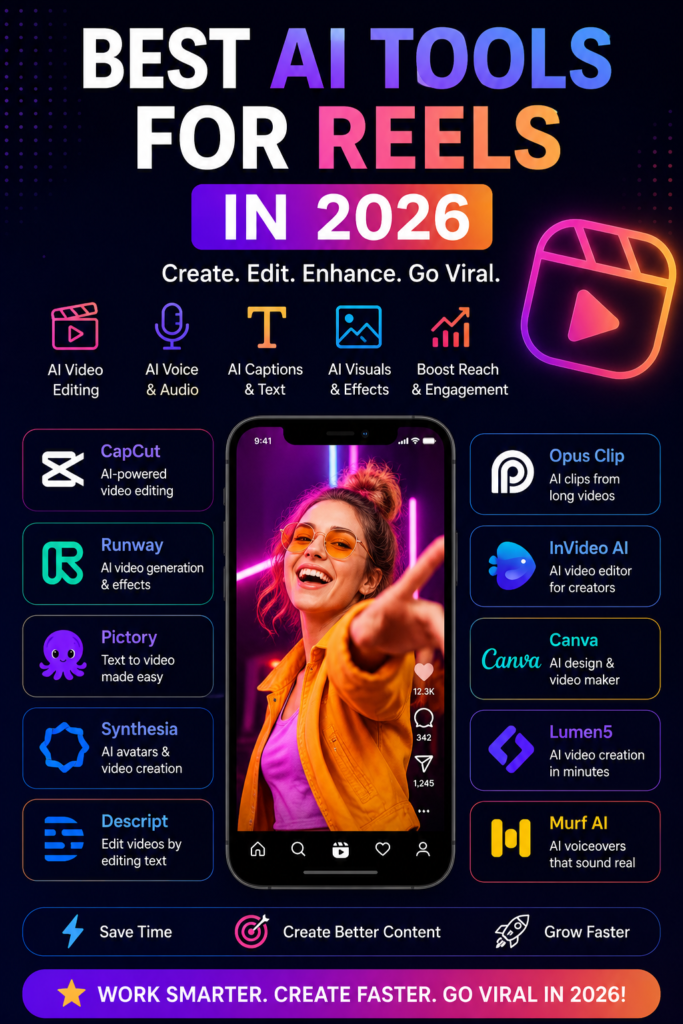
This guide covers the best tools for making Reels in 2026 — what each one does well, where it falls short, who it’s best suited for, and what real use cases look like.
What Makes a Reel Tool Actually Worth Using
Before getting into specific tools, it helps to understand what separates a genuinely useful Reel creation tool from one that just looks good in a demo.
The best tools share a few characteristics: they reduce the time between idea and finished video, they produce output that doesn’t look obviously templated, they handle captions and audio well (because most Reels are watched on mute), and they don’t require a steep learning curve to get usable results.
Best AI Tools for Reels in 2026. Speed matters, but not at the cost of quality. A Reel that looks rushed or generic hurts your account more than not posting. The tools below strike a balance — they’re fast, but they give you enough control to make the output feel like yours.
The Best Tools for Creating Reels in 2026: Best AI Tools for Reels in 2026
1. CapCut — Still the Dominant All-in-One Tool
CapCut remains the most widely used Reel creation tool in 2026, and for good reason. It started as a simple mobile editor and has grown into a full-featured platform available on desktop, browser, and mobile — all synced to the same workspace.
For Reels specifically, CapCut’s auto-captions feature is a standout. It transcribes your audio, generates captions, and lets you style them in seconds. The trending templates section updates regularly with formats that are performing well on Instagram and TikTok, so you can drop your footage into a structure that’s already proven to hold attention.
The script-to-video feature is particularly useful for creators who work from written content. You type or paste a script, and CapCut generates a video with stock footage, voiceover, captions, and music — ready to edit and personalise.
Practical example: A fitness coach wants to post five Reels per week, promoting workout tips. She writes her scripts in advance, uses CapCut’s script-to-video tool to generate a base video for each one, then spends 10–15 minutes per video adjusting the footage, swapping in her own clips, and tweaking the captions. What used to take her three hours per video now takes under 30 minutes.
Pros:
- Free to use with a generous feature set
- Works on mobile and desktop
- Auto-captions are fast and accurate
- Trending templates updated regularly
- Large library of music, effects, and transitions
Cons:
- CapCut watermark on free exports (removable with paid plan)
- Some templates feel overused — you’ll see the same ones everywhere
- The stock footage library is decent but not exceptional
- The desktop version still lags behind the mobile app in some features
Best for: Individual creators, small businesses, and anyone who wants a versatile all-in-one tool without a high monthly cost.
2. Runway — Best for Cinematic and High-Quality Output
Runway has established itself as the tool of choice for creators who want their Reels to look genuinely premium. Where CapCut is built for speed and volume, Runway is built for quality and creative control.

Its video generation and editing features allow you to produce visual content that looks far more polished than what most creators are putting out. The motion brush tool lets you animate specific parts of an image — a technique that creates the kind of eye-catching visuals that stop people mid-scroll.
Runway’s green screen removal, background replacement, and object removal tools are also significantly better than what you’ll find in most consumer-level editors. For creators whose brand relies on a consistent, high-production aesthetic, these features matter.
Practical example: A travel creator wants to post a Reel showcasing a destination she visited, but her raw footage is shaky, and the lighting is inconsistent. She uses Runway to stabilise the footage, clean up the background in certain shots, and add atmospheric motion effects to static images. The finished Reel looks like it was shot by a professional crew.
Pros:
- Significantly higher output quality than most free tools
- Motion effects and visual enhancements are genuinely impressive
- Strong background removal and object editing tools
- Good for creators with a distinct visual brand
Cons:
- Steeper learning curve than CapCut or similar tools
- Credits-based pricing can add up quickly with heavy use
- Not ideal for volume content creation — better for fewer, higher-quality posts
- Some advanced features require time to learn properly
Best for: Visual-first creators, photographers moving into video, and brands that prioritise production quality over posting frequency.
3. Opus Clip — Best for Repurposing Long-Form Content
Opus Clip solves a specific problem very well: turning long videos into short Reels automatically. If you create long-form content — YouTube videos, podcast recordings, webinars, live streams — Opus Clip analyses the footage, identifies the most engaging moments, and cuts them into Reel-ready clips with captions, transitions, and formatting already applied.
The tool scores each clip it generates, estimating how likely it is to perform well based on factors like pacing, speech clarity, and topic relevance. You don’t have to watch the entire long video to find the good bits — Opus Clip does that for you.
In 2026, the accuracy of its clip selection has improved considerably. It now handles multiple speakers better, understands context more reliably, and produces clips that feel like intentional standalone content rather than awkward extracts.
Practical example: A business consultant records a 45-minute webinar every week. Rather than manually cutting it into Reels himself, he runs it through Opus Clip, which generates eight to twelve short clips per webinar. He reviews them, picks the four or five best, adds his logo, and schedules them across the week. His Reels calendar is filled with content from one recording session.
Pros:
- Saves enormous time for long-form content creators
- Auto-caption quality is strong
- Clip scoring helps you prioritise without watching everything
- Handles a wide range of content types — interviews, tutorials, presentations
Cons:
- Output quality depends on the quality of your source material
- Not suitable for creators who don’t have long-form content to repurpose
- Some clips still need manual trimming or adjustment
- Pricing is higher than that of general-purpose editors
Best for: YouTubers, podcasters, coaches, speakers — anyone sitting on hours of long-form content they’re not fully using.
4. Descript — Best for Script-First Creators
Descript takes an approach to video editing that feels genuinely different from everything else on this list. It transcribes your video and lets you edit it like a text document. Delete a sentence from the transcript, and the corresponding video clip disappears. Fix a stumbled word by retyping it, and the audio is regenerated to match.
For creators whose Reels are driven by what they say — educators, commentators, talking-head content — Descript removes most of the friction from the editing process. You don’t need to scrub through timelines. You work with words.
The Overdub feature lets you clone your voice, so if you want to fix a mispronounced word or add a line you forgot without re-recording, you can type it, and Descript generates the audio in your voice.
Practical example: An educator posts weekly explainer Reels on personal finance. She records herself talking for three minutes, uploads to Descript, and edits out all the filler words, pauses, and mistakes by deleting them from the transcript. What was a rough three-minute recording becomes a tight 60-second Reel in about 15 minutes of editing — no timeline scrubbing required.
Pros:
- Text-based editing is a genuine time-saver for talking-head content
- Filler word removal is fast and accurate
- Voice cloning (Overdub) is useful for corrections and additions
- Clean, well-designed interface
Cons:
- Less suited to footage-heavy or music-driven Reels
- Overdub voice quality is good, but not perfect
- Some features require a paid plan
- Not the best tool for visual effects or motion graphics
Best for: Educators, commentators, coaches, and anyone whose Reels are primarily built around speech.
5. InVideo — Best for Marketing and Business Content
InVideo sits in a useful space between a template library and a full video editor. It’s particularly strong for business and marketing Reels — product promotions, announcements, testimonials, brand content — where you need consistent output that looks professional without spending hours on each video.
The template library is extensive and well-organised by industry and use case. The text-to-video feature works well for marketing copy: paste in a caption or script, and InVideo builds a video around it with relevant visuals, music, and formatting.
In 2026, InVideo added stronger brand kit features — you can save your colours, fonts, logo placement, and preferred style so that every video you produce is consistent without manually applying settings each time.
Practical example: A small e-commerce brand wants to post Reels promoting different products each week. They use InVideo’s brand kit to set up their visual identity once, then use the text-to-video feature to generate a base Reel for each product from the product description. Minor edits, logo placement, and scheduling take about 20 minutes per video.
Pros:
- Excellent for consistent, branded marketing content
- Large, well-organised template library
- Brand kit saves significant time for businesses posting regularly
- Good stock footage and music library
Cons:
- Templates can look similar to each other if you’re not customising
- Less creative flexibility than Runway or CapCut
- Better suited to marketing content than personal creator content
- Some templates look dated if not updated
Best for: Small businesses, e-commerce brands, marketing teams, and agencies managing multiple clients.
6. Pictory — Best for Article-to-Reel Workflows
Pictory is built for one specific workflow that a lot of content marketers find valuable: turning written content into video. Blog posts, articles, newsletters, scripts — paste the text in, and Pictory generates a video with matching visuals, captions, and voiceover.
For brands that already produce written content regularly, Pictory removes the bottleneck of video production. You’re not creating from scratch; you’re adapting content you’ve already made.
The auto-highlight feature also works well for pulling key quotes or statistics from longer text and formatting them as standalone visual Reels — the kind of quote-card style content that performs consistently well on Instagram.
Practical example: A marketing agency produces weekly blog posts for clients. Using Pictory, they convert each post into a 60-second Reel summarising the key points, with branded visuals and auto-generated voiceover. The client gets a Reel every week without the agency needing a dedicated video team.
Pros:
- Ideal for repurposing written content into video
- Auto-voiceover removes the need for recording
- Good for agencies managing content across multiple clients
- Consistent, clean output
Cons:
- Videos can feel formulaic if you’re not customising heavily
- Voiceover quality, while good, sounds synthetic on close listening
- Not suited for creator-style personal content
- Less control over visual style than dedicated editors
Best for: Content marketers, bloggers, agencies, and brands with strong written content pipelines.
How to Choose the Right Tool for Your Reels Workflow
The right tool depends on what kind of content you make and how you make it:
- You post frequently and need speed: CapCut or InVideo
- You care deeply about visual quality: Runway
- You have lots of long-form content to repurpose: Opus Clip
- You record yourself talking: Descript
- You have lots of written content: Pictory
- You run a business or manage a brand: InVideo or Pictory
Most serious creators end up using two tools — one for generation and rough structure, one for fine-tuning and polishing. CapCut plus Runway is a common combination. Opus Clip plus Descript works well for podcast creators who also do talking-head content.
Tips for Making Reels That Actually Perform in 2026
Hook in the first two seconds. The algorithm measures how quickly people swipe away. Your first frame needs to create enough curiosity or visual interest to stop the scroll. Start with the most compelling moment, not the setup.
Design for mute viewing. A large percentage of Reels are watched without sound. Captions aren’t optional — they’re essential. Every tool on this list handles captions, so there’s no reason to skip them.
Keep it under 30 seconds where possible. Completion rate is a key signal. Shorter videos are more likely to be watched all the way through, which tells the algorithm the content is worth distributing.
Post at consistent times. The tools above make it easier to batch-create content in advance and schedule it. Consistency in posting cadence matters more than people realise.
Study what’s already working. All the tools in the world won’t help if you’re not paying attention to what formats and topics are resonating with your specific audience. Check your analytics weekly.
FAQs
Which tool is best for beginners making Reels in 2026?
CapCut is the most beginner-friendly option on this list. It’s free, available on mobile and desktop, has a short learning curve, and covers everything you need to produce good-quality Reels — captions, music, templates, transitions, and basic effects.
Can these tools help a Reel go viral?
No tool guarantees virality. What they do is remove the production barriers so you can post more consistently and focus your energy on content strategy rather than editing. More consistent, better-produced content increases your chances — but the idea still has to connect with your audience.
Are these tools free?
Most offer a free tier with meaningful features. CapCut is largely free. Runway, Opus Clip, Descript, InVideo, and Pictory all offer free trials or limited free plans, with paid tiers unlocking higher limits and advanced features.
How many Reels should I be posting per week?
Most creators who are growing actively post between three and seven Reels per week. The tools in this guide are specifically useful here — they make that posting frequency achievable without burning out or spending all day editing.
Do I need to be on camera for these tools to work?
No. Opus Clip, InVideo, Pictory, and CapCut’s script-to-video feature all produce Reels without requiring footage of you. Faceless content performs well in many niches — finance, productivity, travel, education, and more.
Which tool is best for repurposing podcast content into Reels?
Opus Clip is the strongest option for this. It identifies the most engaging moments from long audio or video recordings and cuts them into Reel-ready clips with captions and formatting. Descript is a strong second choice, particularly if you want more manual control over the editing.
Conclsion
The gap between creators who are growing and those who aren’t in 2026 often comes down to consistency and production efficiency. The best content ideas don’t help if they’re sitting in a notes app because editing feels too time-consuming.
The tools in this guide reduce that friction. CapCut handles volume and speed. Runway handles quality. Opus Clip handles repurposing. Descript handles speech-heavy editing. InVideo and Pictory handle business and marketing content. Each one solves a specific problem well.
Pick the one that fits your workflow, spend a week getting familiar with it, and focus your energy on the part that actually drives growth: creating content your audience genuinely wants to watch.

