
If you’re living in Iran or planning to visit, you already know how frustrating internet censorship can be. Instagram, WhatsApp, YouTube, Twitter — blocked. Even WhatsApp calls often fail. Getting around these restrictions isn’t just a convenience anymore; for many people, it’s become part of daily life.
The good news is that VPNs still work in Iran in 2026, even with the government’s aggressive filtering systems. The bad news? Most free VPNs are either too slow, get blocked within days, or are outright dangerous to use. This guide breaks down the best free options that are actually worth your time — with honest pros and cons for each.
Best Free VPN for Iran 2026:Why Censorship in Iran Is Different from Other Countries.
Iran uses one of the most advanced internet filtering systems in the world, often called the “National Information Network” or SHOMA. Unlike simpler firewalls, it does deep packet inspection (DPI), which means it can detect and block VPN traffic patterns — not just the VPN servers themselves.
This is why a VPN that works perfectly in China or Russia might fail in Iran. You need a VPN that uses obfuscation — a technique that disguises VPN traffic to look like regular HTTPS browsing. Without it, your connection will likely get throttled or cut off within minutes.
Keep this in mind as you read through the options below.
The Best Free VPNs for Iran in 2026
1. Psiphon — Best Overall Free Option for Iran
Psiphon has been around since 2008 and was originally built specifically to help people in censored countries. It’s not technically a traditional VPN — it uses a combination of VPN, SSH, and HTTP proxy technologies, which makes it harder to block.
Psiphon is a widely used censorship circumvention tool designed to help users access the open internet in countries with strict restrictions, including Iran. Unlike traditional VPNs, Psiphon uses a mix of VPN, SSH, and HTTP proxy technologies to automatically find the best method to bypass blocking systems. This makes it especially useful in environments where standard VPN apps are frequently detected and blocked.
One of Psiphon’s main strengths is its simplicity. Users do not need advanced setup or technical knowledge—just install the app, and it automatically connects using the most effective available tunnel. It is often used as a backup tool when regular VPNs fail during internet shutdowns or heavy filtering.
However, Psiphon is not designed for high-speed streaming or heavy downloads. It focuses more on access than performance, so speeds can be inconsistent. It also shows ads in the free version, which helps keep the service running.
Overall, Psiphon is a practical emergency tool for bypassing censorship, especially in highly restricted networks like Iran.
How it works in practice: When you launch Psiphon and connect, it automatically finds a working server from a rotating pool. If one gets blocked, it switches. This auto-selection feature is genuinely useful in Iran, where server IPs get blacklisted regularly.
Psiphon also has an “egress region” feature that lets you choose which country your traffic appears to come from. For accessing region-locked streaming content, this is handy.
Pros:
- Specifically designed to bypass censorship in countries like Iran
- Auto-switches servers if one gets blocked
- Works on Android, iOS, Windows, and macOS
- No account required — just download and run
- Completely free with no data cap
Cons:
- Speeds can be slow during peak hours (evenings in Iran, especially)
- No serious privacy features — logs some connection data
- The interface feels dated
- Not great for streaming HD video or gaming
Best for: Messaging apps, social media, general browsing
2. Lantern — Strong Alternative with P2P Sharing
A lantern is another tool built specifically for censored countries. What makes it different is that it uses a peer-to-peer model — some of the traffic passes through volunteer users in uncensored countries, making it much harder to block at a server level.
Lantern is an internet censorship circumvention tool designed to help users access blocked websites in restrictive regions like Iran. It works by using a combination of peer-to-peer connections and proxy servers to route traffic through less restricted networks. Unlike traditional VPNs, Lantern automatically switches between different connection methods to maintain access when one path is blocked.
A lantern is popular because it is easy to use. Users do not need to manually configure servers or settings—once installed, it connects automatically and focuses on opening restricted websites such as social media platforms, news sites, and messaging apps. This makes it useful for people who want quick access without technical setup.
In terms of performance, Lantern can be fast for browsing and messaging, but speeds may vary depending on network conditions and server load. The free version has limitations, and advanced features such as higher speed and more stable connections are usually available in the paid plan.
Overall, Lantern is best seen as a simple and practical tool for bypassing basic censorship, especially when traditional VPNs are blocked or unstable.
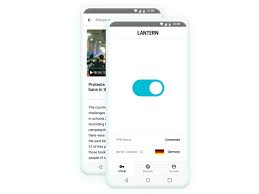
In 2026, Lantern remains one of the few free tools that consistently works in Iran without constant interruptions. It’s particularly popular on Android phones, which is the most common way Iranians access the internet.
How it works in practice: You install Lantern, open it, and it connects automatically. There’s no server selection — it handles everything in the background. For most users, this is exactly what they want: something that just works.
Pros:
- P2P design makes it very hard to block
- No configuration needed
- Works well on Android and desktop
- The free tier is usable for basic browsing
- Open source (you can verify what it’s doing)
Cons:
- Free version has a monthly data limit (around 500MB–1GB, depending on the month)
- Speeds vary a lot depending on available peers
- Not suitable for large downloads or video streaming on the free tier
- Paid “Pro” version needed for unlimited use
Best for: Light daily use — checking news, messaging, email
3. Tor Browser — Slow But Extremely Private
Tor routes your traffic through multiple encrypted relays around the world before it reaches its destination. This makes it almost impossible to trace back to you, which is why journalists and activists in Iran have trusted it for years.
The challenge in Iran is that Tor’s servers (called “relays”) are frequently blocked. However, Tor offers a feature called Bridges — unlisted, secret relays that are harder to detect. Specifically, using the obfs4 or Snowflake bridge types gives you the best chance of connecting from Iran.
Tor Browser is a privacy-focused web browser designed to help users access the internet anonymously and bypass censorship. It works by routing internet traffic through the Tor network, which consists of multiple volunteer-operated servers (called nodes). Each node encrypts and passes the data forward, making it extremely difficult to trace the original user or their location.
Tor Browser is widely used in countries with strict internet controls, including Iran, because it can access blocked websites without relying on a traditional VPN. It also helps protect user identity by hiding IP addresses and preventing tracking from websites, advertisers, or internet service providers.
One of its key advantages is strong anonymity. However, because data is routed through multiple layers of encryption, browsing speed can be slower compared to normal browsers or VPNs. It is best suited for reading websites, secure communication, and accessing restricted information rather than streaming or downloading large files.
Overall, Tor Browser is a powerful tool for privacy and censorship resistance, especially when combined with safe browsing habits and awareness of local restrictions.
How it works in practice: Download the Tor Browser. Before connecting, click “Configure Connection” and choose a bridge — select “obfs4” or “Snowflake.” Then connect. It may take a minute or two to establish a circuit, but once connected, it’s remarkably stable.
Pros:
- Extremely strong anonymity — your activity is very difficult to trace
- No account or sign-up required
- Free forever, with no data limits
- Regularly updated to stay ahead of censorship
- Works on Windows, Mac, Linux, and Android
Cons:
- Significantly slower than commercial VPNs
- Not practical for streaming or downloading large files
- Initial connection can take several attempts in Iran
- Not available as a native iOS app (though Onion Browser is an alternative)
Best for: High-sensitivity activities, journalists, activists, or anyone who prioritizes privacy above speed
4. Windscribe (Free Tier) — Best Free Tier from a Commercial VPN
Most commercial VPNs have free tiers that are essentially useless — 500MB per month, two servers, and constant upsell prompts. Windscribe is genuinely different. The free version gives you 10GB per month if you provide an email address, and access to servers in around 11 countries.

More importantly for Iran users, Windscribe supports the Stealth protocol, which uses obfuscation to disguise VPN traffic. This is the feature that makes it viable in Iran, where unobfuscated VPN connections typically get dropped.
How it works in practice: Sign up at windscribe.com (you can use a temporary email). Download the app. In settings, change the protocol to “Stealth.” Connect to any available server. You should have a stable, reasonably fast connection.
Pros:
- 10GB/month is substantial for casual use
- Stealth protocol works against DPI-based censorship
- Clean, modern app on all platforms
- No-logs privacy policy
- Can be used on multiple devices simultaneously
Cons:
- 10GB goes quickly if you watch videos
- Only around 11 server locations are on the free tier
- Need to register an email (though Windscribe accepts disposable addresses)
- Stealth protocol sometimes needs manual enabling
Best for: Users who want a polished VPN experience without paying
5. Outline (Shadowsocks) — Technical But Incredibly Effective
Outline is less well-known than the others, but it deserves a mention because it’s one of the most effective tools for bypassing DPI in Iran. It’s based on the Shadowsocks protocol, originally developed in China to get around the Great Firewall, which is arguably even more advanced than Iran’s filtering system.

The catch is that it requires slightly more setup. You either need access to an Outline server shared by someone you know or you need to find a public access key. Organizations like Access Now and various digital rights groups sometimes distribute Shadowsocks access keys for Iran.
How it works in practice: You install the Outline client app, then enter an access key (a special string of text that encodes the server details). Once entered, you just hit “Connect.” The traffic looks like regular HTTPS to any observer.
Pros:
- Very effective at bypassing DPI — designed for exactly this use case
- Lightweight and fast once connected
- Open source and audited for security
- Works on Android, iOS, Windows, macOS, and Linux
Cons:
- Requires an access key — you can’t just install and go
- Finding a reliable, working key takes some effort
- No built-in key distribution — dependent on the community or organizations
- Not beginner-friendly for setup
Best for: Tech-savvy users who can obtain an access key from a trusted source
Quick Comparison
| VPN / Tool | Free Data Limit | Works Without Setup | Obfuscation | Best For |
|---|---|---|---|---|
| Psiphon | Unlimited | Yes | Yes | Daily browsing |
| Lantern | ~500MB–1GB/mo | Yes | Yes | Light use |
| Tor Browser | Unlimited | Mostly | Yes (with bridges) | Privacy-critical use |
| Windscribe | 10GB/mo | Yes (with account) | Yes (Stealth mode) | Balanced use |
| Outline | Unlimited | No (need key) | Yes | Fast, private browsing |
What to Avoid
Free VPNs from unknown providers — There are dozens of VPN apps in app stores that offer “free unlimited VPN.” Many of these are based in countries with poor data privacy laws, log your browsing activity, and some are outright malware. If you can’t find a clear privacy policy or the company has no verifiable history, don’t use it.
VPNs that don’t use obfuscation — If a VPN doesn’t specifically mention obfuscation, stealth mode, or anti-censorship features, it will likely fail in Iran or get detected quickly. Standard OpenVPN and WireGuard traffic is fairly easy to fingerprint.
Storing VPN apps in obvious locations — Keep your VPN apps in a folder that doesn’t draw attention. Some users in Iran have reported being questioned about VPN apps visible on their phones during random checks.
Tips for Getting the Most Out of a Free VPN in Iran
Download backup apps before you need them. When one VPN stops working, you don’t want to spend time searching for an alternative. Keep at least two or three options installed and tested.
Use Telegram for updates. Most VPN services that operate in Iran also maintain Telegram channels where they share new server addresses, access keys, or workaround instructions when their primary method gets blocked. Psiphon, for example, sends new download links via Telegram when its website is blocked.
Connect before doing sensitive browsing. Don’t just switch on a VPN when you’re already on a page you want to visit — connect first, verify your IP has changed (you can search “what is my IP” to confirm), then browse.
Avoid free Wi-Fi in public places. Even with a VPN, public networks in Iran can carry monitoring equipment. Mobile data is generally safer than public Wi-Fi for sensitive activities.
Frequently Asked Questions
Is it legal to use a VPN in Iran?
Technically, using unauthorized VPNs is illegal under Iranian law. However, enforcement is mostly targeted at VPN sellers and distributors rather than everyday users. Millions of Iranians use VPNs daily. The practical risk for an individual using a VPN for personal browsing is considered low by most people — but it’s worth understanding the legal context.
Which free VPN is the fastest in Iran?
Speed varies by time of day and location within Iran. In general, Windscribe with Stealth protocol and Psiphon tend to offer the best speeds among free options. Tor is consistently the slowest due to how it routes traffic.
Can I use a free VPN for streaming Netflix or YouTube in Iran?
It depends. YouTube may work acceptably with Psiphon or Windscribe. Netflix is harder — it aggressively blocks VPN exit nodes, so even paid VPNs struggle with it. For reliable streaming, a paid VPN (such as Mullvad or ProtonVPN’s paid plan) is generally needed.
How do I get Psiphon if its website is blocked?
Send an email to get@psiphon3.com from any email address. Psiphon will automatically respond with a download link. This email-based distribution system was specifically designed for situations where the main website is blocked.
What if my VPN stops working suddenly?
This is common in Iran. First, try switching servers within the same app. If that doesn’t work, switch to a different protocol in the settings. If the app is completely blocked, use your backup app. Check the VPN’s Telegram channel for announcements — they often explain what’s happening and provide new instructions within hours.
Is Tor safe to use in Iran?
Yes, Tor is widely considered safe from a technical standpoint when used with obfuscation bridges. The main risk isn’t technical — it’s drawing attention to yourself by having Tor on your device. For everyday browsing, Psiphon or Windscribe are lower-profile choices. For sensitive work, Tor with obfs4 bridges offers the strongest protection.
Conclsion
There’s no single perfect free VPN for Iran — each option has trade-offs. For most people, Psiphon is the simplest starting point. If you want something with more data and a polished app, Windscribe’s free tier is excellent. If privacy is your top concern and you can tolerate slower speeds, Tor with bridges is hard to beat.
The most important thing is to have multiple tools ready. The filtering system in Iran evolves constantly, and something that works today may need an update or workaround next month. Stay flexible, keep backups, and don’t rely on any single solution.
Stay safe online.

