
Introduction

Superhuman is a premium email productivity tool designed to help users manage their inbox faster and more efficiently. It focuses on speed, keyboard shortcuts, and smart features that reduce email overload and improve workflow.
Superhuman Review 2026 Superhuman is ideal for busy professionals, founders, executives, sales teams, and productivity enthusiasts who deal with a high volume of emails daily. In 2026, it became popular because of its lightning-fast interface, minimal design, and powerful features that turn email into a productivity engine rather than a distraction.Fireflies.ai
Key Features of Superhuman
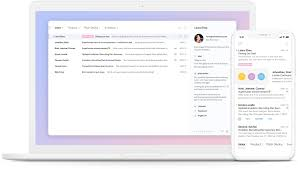
Here are the main features that make Superhuman stand out:
1. Lightning-Fast Email Navigation
- Navigate emails instantly using keyboard shortcuts.
- Example: Archive, reply, or move emails in seconds without using a mouse.
2. AI-Powered Email Writing
- Helps draft, rewrite, and improve email responses quickly.
- Example: Generate a professional reply to a client in just a few clicks.
3. Read Status Tracking
- See when recipients open your emails.
- Example: Know if a client has read your proposal and follow up at the right time.
4. Inbox Organization
- Automatically categorize emails into important, newsletters, and others.
- Example: Focus only on priority emails while less important ones stay out of the way.
5. Email Reminders & Follow-Ups
- Set reminders for emails that need responses.
- Example: Get notified if a client hasn’t replied within a set time.
6. Split Inbox
- Separate emails into different categories for better focus.
- Example: Keep work emails separate from personal or promotional emails.
7. Keyboard-First Experience
- Designed for speed using shortcuts instead of clicks.
- Example: Manage your entire inbox without touching the mouse.
8. Integration with Gmail & Outlook
- Works seamlessly with major email providers.
- Example: Sync your Gmail account and manage emails with Superhuman’s interface.
How Superhuman Works
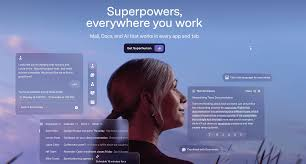
Getting started with Superhuman is simple:
- Sign up and connect your Gmail or Outlook account.
- Set up preferences for inbox categories and shortcuts.
- Start managing emails using keyboard commands.
- Use AI tools to draft and improve replies.
- Set reminders and follow-ups for important emails.
- Track read receipts and optimize communication timing.
It may take a few days to learn shortcuts, but once mastered, it becomes extremely fast.
Performance & Speed
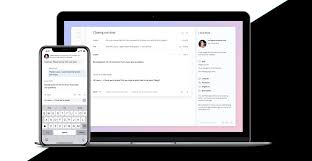
- Output Quality: Superhuman generates clear, professional email suggestions and keeps communication efficient.
- Speed: One of the fastest email clients available—actions happen instantly.
- Reliability: High uptime and smooth syncing with email providers ensure consistent performance.
Pricing & Plans
Superhuman offers a premium pricing model:
- Free Plan: Not available
- Paid Plan: Around $25–$30/month per user
Is it worth the money?
Yes, for professionals who spend hours managing emails daily. The time saved often justifies the cost.
Pros and Cons
Pros:
- Extremely fast email management
- Clean and distraction-free interface
- Powerful keyboard shortcuts
- Smart email organization and reminders
- Helpful AI-assisted writing
Cons:
- Expensive compared to other email tools
- No free plan
- Learning curve for keyboard shortcuts
Best Use Cases
Who should use Superhuman:
- Executives and founders managing large inboxes
- Sales professionals tracking email engagement
- Productivity-focused users
- Remote teams handling frequent communication
Who should avoid it:
- Casual email users with low volume
- Users looking for free or budget tools
- People are uncomfortable with keyboard shortcuts
Comparison with Competitors
| Feature | Superhuman | Gmail | Spark Mail |
|---|---|---|---|
| Speed & Performance | ✅ Extremely fast | ✅ Good | ✅ Good |
| AI Email Writing | ✅ Advanced | ✅ Basic | ✅ Moderate |
| Read Receipts | ✅ Yes | ❌ No | ✅ Yes |
| Pricing | $25–$30/month | Free | $0–$8/month |
| Ease of Use | ❌ Learning curve | ✅ Easy | ✅ Easy |
Superhuman stands out for speed and productivity, while Gmail is free and Spark offers a balance between features and affordability.
Security & Privacy
- Encryption: Emails are encrypted in transit and at rest.
- Privacy Policy: Superhuman follows strict data protection practices and does not misuse user data.
- Safety: Safe for professional communication, but users should still follow email security best practices.
Final Verdict
In 2026, Superhuman is one of the best tools for managing email efficiently. Its speed, smart features, and focus on productivity make it a top choice for professionals who handle large volumes of email daily.
Recommendation: If email is a major part of your workflow and you want to save time, Superhuman is definitely worth the investment.
FAQs
1. Is Superhuman free?
No, Superhuman is a premium tool with a monthly subscription.
2. Can Superhuman replace Gmail?
It works with Gmail and enhances the experience, but does not replace it entirely.
3. Is Superhuman worth the price?
Yes, for users who handle many emails daily and value speed and efficiency.
4. Does Superhuman support Outlook?
Yes, it integrates with both Gmail and Outlook accounts.
5. Is Superhuman secure?
Yes, it uses encryption and follows strict privacy practices.
6. Can I track email opens?
Yes, Superhuman provides read receipts and tracking features.
7. Does it work on mobile devices?
Yes, Superhuman is available on mobile and desktop platforms.
8. Is it beginner-friendly?
It has a learning curve, but it becomes easy once you learn the shortcuts.
9. Who should use Superhuman?
Professionals, founders, and teams managing large email volumes.
10. Can Superhuman help with writing emails?
Yes, it can generate and improve email responses quickly.
11. How fast is Superhuman?
It is one of the fastest email clients available, designed for instant actions.
12. Is Superhuman free?
No, Superhuman is a premium email tool and does not offer a free plan.
13. Is Superhuman worth the price?
Yes, especially for professionals who handle a high volume of emails and want to save time.
14. Does Superhuman replace Gmail?
No, it works alongside Gmail and Outlook to enhance the email experience.
15. Can Superhuman track email opens?
Yes, it includes read receipts and tracking features.
16. Is Superhuman secure?
Yes, it uses encryption and follows strong privacy practices.
17. Yes, it is available on mobile and desktop platforms.
18. Is Superhuman beginner-friendly?
It has a learning curve due to keyboard shortcuts, but it becomes easy with use.
19. Who should use Superhuman?
Professionals, founders, sales teams, and anyone managing a large inbox.
20. Can Superhuman help with writing emails?
Yes, it can assist in drafting and improving email responses.
21. How fast is Superhuman?
It is one of the fastest email tools available, designed for instant actions.
Conclusion
In 2026, Superhuman stands out as one of the fastest and most efficient email productivity tools available. Its focus on speed, keyboard shortcuts, and smart email management helps users handle large inboxes with ease. While the pricing may be high and there’s a learning curve, the time saved can be significant for professionals who rely heavily on email. If email is a core part of your daily workflow, Superhuman is definitely worth considering.