
Introduction
INK Editor is a content optimization and writing tool designed to help users create SEO-friendly content that ranks higher on search engines. It combines writing assistance with real-time SEO scoring, making it easier to improve both content quality and visibility.
INK Editor Review 2026: INK Editor is popular because it offers a balance between writing support and SEO optimization in one platform. It’s especially useful for users who want to write content and optimize it at the same time without switching tools. Outranking
Who is it for?
- Bloggers and content creators
- Digital marketers
- SEO professionals
- Small business owners
Key Features
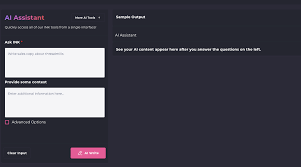
1. SEO Content Score
- Provides a real-time SEO score as you write.
- Helps you understand how optimized your content is.
- Example: Writing about “Healthy Recipes”? INK suggests adding keywords like “low-calorie meals” or “quick recipes.”
2. Writing Assistant
- Helps improve sentence structure, grammar, and readability.
- Makes content clearer and more engaging.
3. Keyword Optimization
- Suggests relevant keywords based on your topic.
- Helps avoid keyword stuffing while maintaining relevance.
4. Content Shield (Anti-Penalty Tool)
- Helps prevent over-optimization.
- Ensures content follows SEO best practices.
5. AI Content Generation
- Assists in creating outlines, ideas, and drafts.
- Useful for speeding up content creation.
6. Image Optimization
- Suggests improvements for images used in content.
- Helps with alt text and SEO-friendly image usage.
7. Distraction-Free Editor
- Clean writing interface for focused content creation.
How It Works

Using INK Editor is simple:
- Sign Up and Log In
- Start with a free or paid plan.
- Enter Your Topic or Keyword
- Example: “Best Home Workout Routines.”
- Start Writing in the Editor
- Use suggestions for keywords and structure.
- Improve SEO Score
- Add recommended keywords and improve readability.
- Optimize Content Fully
- Use Content Shield to avoid over-optimization.
- Publish Content
- Export and upload to your website.
Performance & Speed

INK Editor performs well in daily use:
- Speed: Real-time suggestions with minimal delay.
- Accuracy: SEO recommendations are practical and easy to follow.
- Real-life use: Optimizing a 1,500–2,000-word article takes around 15–25 minutes.
- Reliability: Stable platform with consistent uptime.
It’s especially helpful for writers who want instant feedback.
Pricing & Plans
INK Editor offers flexible pricing:
- Free Plan: Basic features with limited usage.
- Professional Plan (~$39/month): Full writing and SEO features.
- Enterprise Plan: Custom pricing for teams.
Is it worth the money?
Yes, especially for users who want both writing and SEO tools in one platform at a reasonable price.
Pros and Cons
Pros:
- Real-time SEO scoring
- Easy-to-use interface
- Combines writing and optimization
- Affordable pricing
- Helps avoid SEO mistakes
Cons:
- Limited advanced SEO analytics
- Some features may feel basic for experts
- Requires editing for final content quality
Best Use Cases
Who should use INK Editor:
- Bloggers creating SEO content
- Freelancers writing articles regularly
- Small businesses managing content
Who should avoid it:
- Advanced SEO professionals needing deep analytics
- Users looking for full SEO suites (backlinks, audits, etc.)
Comparison with Competitors
| Feature | INK Editor | Surfer SEO | Scalenut |
|---|---|---|---|
| Writing Assistant | Excellent | Moderate | Strong |
| SEO Optimization | Strong | Excellent | Strong |
| Ease of Use | Very Easy | Easy | Easy |
| Pricing | Affordable | Moderate | Affordable |
Takeaway:
- INK Editor is best for writing + SEO combined.
- Surfer SEO is stronger for deep optimization.
- Scalenut offers more all-in-one features.
Security & Privacy
- Uses secure HTTPS encryption
- Keeps user data private
- No public sharing of content
- Safe for professional use
Final Verdict
In 2026, INK Editor stands out as a practical tool for combining writing and SEO optimization in one place. It’s easy to use, affordable, and effective for improving content quality and rankings.
Recommendation:
If you want a simple tool that helps you write and optimize content at the same time, INK Editor is definitely worth trying.
FAQs
1. What is INK Editor used for?
INK Editor is used for writing and optimizing SEO-friendly content in one platform.
2. Is INK Editor beginner-friendly?
Yes, it has a simple interface and provides real-time guidance.
3. Does INK Editor offer a free plan?
Yes, it offers a basic free plan with limited features.
4. How does INK Editor improve SEO rankings?
It provides keyword suggestions, readability improvements, and real-time SEO scoring.
5. Can I optimize existing content?
Yes, you can paste old content and improve it using the editor.
6. Is INK Editor better than Surfer SEO?
INK Editor is better for writing assistance, while Surfer SEO offers more advanced SEO features.
7. Does it support keyword research?
Yes, it includes keyword suggestions within the editor.
8. Is INK Editor good for freelancers?
Yes, it’s ideal for freelancers writing SEO content regularly.
9. Does it support multiple languages?
Yes, it supports multiple languages for content creation.
10. Is my data safe with INK Editor?
Yes, it uses secure systems to protect user data.
11. What is INK Editor used for?
INK Editor is used for writing and optimizing SEO-friendly content. It helps improve readability, keyword usage, and overall search engine performance.
12. Is INK Editor good for beginners?
Yes, INK Editor is very beginner-friendly. Its simple interface and real-time suggestions make it easy to use even if you’re new to SEO.
13. Does INK Editor offer a free plan?
Yes, INK Editor provides a free plan with basic features. Paid plans unlock advanced tools and higher usage limits.
14. How does INK Editor improve SEO rankings?
It offers keyword suggestions, SEO scoring, and content optimization tips based on search engine requirements.
15. Can I use INK Editor to update old blog posts?
Yes, you can paste your existing content into the editor and improve it using its optimization features.
16. Is INK Editor better than Surfer SEO?
INK Editor is better for combining writing and SEO in one tool, while Surfer SEO is more advanced for deep content optimization.
17. Does INK Editor include keyword research?
Yes, it provides keyword suggestions within the editor to help improve content relevance.
18. Is INK Editor suitable for freelancers?
Yes, it’s a great tool for freelancers who create SEO content regularly.
19. Does INK Editor support multiple languages?
Yes, INK Editor supports content creation in multiple languages.
20. Is my data safe with INK Editor?
Yes, INK Editor uses secure connections and keeps your data private.
21. Is INK Editor worth it in 2026?
Yes, especially for bloggers, freelancers, and small businesses looking for an affordable and easy-to-use SEO writing tool.
Conclusion
In 2026, INK Editor stands out as a practical and user-friendly tool for combining content writing and SEO optimization in one place. Its real-time SEO scoring, keyword suggestions, and clean interface make it a great choice for bloggers, freelancers, and small businesses. While it may not replace advanced SEO tools for deep analysis, it offers excellent value for users who want to create optimized content quickly and efficiently. If you’re looking for a simple yet effective way to improve your content and rankings, INK Editor is definitely worth trying