
Introduction
Murf AI is a leading AI-powered platform that specializes in text-to-speech and voice generation. Founded in 2020, Murf AI enables users to convert written content into natural, human-like speech with a variety of voices, accents, and languages. Its tools are widely used by creators, businesses, and educators to produce audiobooks, podcasts, video voiceovers, e-learning content, and marketing materials without the need for professional recording studios. ElevenLabs Features
Murf AI Review 2026 The platform offers advanced features like voice cloning, AI dubbing, and multilingual translation, allowing users to create personalized and globally adaptable audio content. Murf AI also provides an easy-to-use studio interface where pitch, tone, and style can be customized, ensuring professional-quality results. Additionally, developers can integrate Murf’s voice technology into apps and services using its API. Features

With a global reach and support for over 20 languages, Murf AI is transforming the way content is produced and consumed, making professional audio creation accessible, efficient, and versatile for anyone. Features
What is Murf AI?
Murf AI is a powerful online voice-over and text-to-speech platform designed to turn written content into professional-quality audio. It uses advanced voice modulation to produce natural-sounding speech in multiple languages and accents.
Who is it for?
Murf AI is ideal for:
- Content creators and YouTubers
- Podcasters
- Educators making audio lessons
- Businesses producing marketing or training videos
- Anyone needing realistic voiceovers quickly
Why is it popular in 2026?
Murf AI has gained popularity due to its realistic voices, wide language support, user-friendly interface, and fast workflow. It allows creators to produce high-quality audio without expensive recording equipment or professional voice actors.
Key Features

- Natural-Sounding Voices
- Murf AI offers dozens of realistic voices that sound human-like.
- Example: Turn your blog post into a podcast-ready narration.
- Multi-Language Support
- Supports over 20 languages and various accents.
- Example: Create training videos for global teams in different languages.
- Custom Voice Cloning
- Allows you to create a digital version of your own voice for consistent branding.
- Audio Editing Tools
- Trim, cut, and adjust pacing directly in the platform.
- Example: Remove pauses or mistakes from recordings without re-recording.
- Integration with Video Platforms
- Directly add voiceovers to videos or presentations.
- Script to Audio Conversion
- Turn text scripts into full audio clips with a single click.
- Team Collaboration
- Share projects with teammates and allow collaborative editing.
- High-Quality Audio Exports
- Export in multiple formats, including MP3 and WA, V for various uses.
How It Works
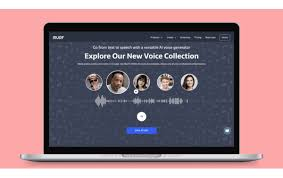
Step-by-Step Guide for Beginners:
- Sign up for Murf AI (free trial available).
- Create a new project and upload your script.
- Choose a voice, language, and accent.
- Adjust tone, pitch, and speed if needed.
- Preview your audio and make edits using trimming or effects.
- Export your final voiceover in your preferred format.
Performance & Speed
- Real-Life Usage: Generating a 5-minute voiceover takes less than a minute.
- Reliability: Cloud-based platform ensures minimal downtime.
- Audio Quality: Voices are natural and clear, suitable for professional use.
Pricing & Plans
- Free Plan: Limited voices, watermarked exports, up to 10 minutes per month.
- Pro Plan (~$13/month): Full access to voices, longer audio, and commercial usage.
- Enterprise Plan: Custom solutions for large teams and projects.
Is it worth the money?
Yes. For creators, marketers, or businesses needing professional voiceovers regularly, the paid plans provide excellent value.
Pros and Cons
Pros:
- Extremely realistic voices
- Supports multiple languages and accents
- Easy-to-use interface
- Quick audio generation
- Integration with video editing platforms
ConsThe free
- Free plan is limited
- Some advanced features require a paid plan
- Voice cloning may take time to perfect
Best Use Cases
Who should use it:
- YouTubers and content creators
- Businesses producing training or marketing videos
- Podcasters
- Educators creating audio lessons
Who should avoid it:
- Users needing completely free long-term solutions
- Projects requiring highly emotional or dramatic voice performances
Comparison
Murf AI vs. Descript:
- Murf AI excels at realistic text-to-speech.
- Descript is stronger in full audio and video editing with transcription.
Murf AI vs. Synthesia:
- Murf AI focuses on audio, while Synthesia specializes in AI video avatars.
Security & Privacy
- Murf AI encrypts your projects and audio files.
- No unauthorized sharing of scripts or voice data.
- Complies with standard cloud security measures.
Final Verdict
Is Murf AI worth using in 2026?
Yes. If you need fast, professional-quality voiceovers without hiring voice actors, Murf AI is an excellent tool. Its realistic voices, multi-language support, and easy workflow make it perfect for creators, businesses, and educators.
Short Recommendation:
For anyone creating audio content, from YouTube videos to corporate training, Murf AI is a reliable and efficient choice in 2026.
FAQs
- What is Murf AI used for?
- It converts text into natural-sounding voiceovers for videos, podcasts, presentations, and more.
- Can I use Murf AI for commercial projects?
- Yes, paid plans allow commercial use of generated audio.
- Does Murf AI support multiple languages?
- Yes, over 20 languages and accents are available.
- Can I clone my own voice?
- Yes, Murf AI offers voice cloning for personal or brand consistency.
- Is there a free version?
- Yes, with limitations like watermarked exports and short durations.
- Can I edit the audio within Murf AI?
- Yes, trimming, pitch adjustment, and pacing edits are available.
- Is Murf AI beginner-friendly?
- Absolutely. The platform is intuitive and easy to navigate.
- How fast can I generate a voiceover?
- A 5-minute script usually takes under a minute to convert to audio.
- What formats can I export in?
- MP3 and WAV formats are supported for versatile use.
- Is my script and voice data safe?
- Yes. All data is encrypted and stored securely in the cloud.
Conclusion – Murf AI Review 2026
Murf AI is a top-notch text-to-speech platform for anyone who needs professional, realistic voiceovers quickly and efficiently. Its wide range of natural-sounding voices, multi-language support, and easy-to-use interface make it perfect for content creators, educators, marketers, and businesses.
While the free plan is limited in duration and features, the paid plans unlock full capabilities, including voice cloning, longer audio outputs, and commercial usage rights. The platform’s cloud-based system ensures reliability, security, and fast processing, allowing you to focus on content rather than recording logistics.