
1. Introduction
Stable Diffusion is an open-source artificial intelligence model designed to generate images from text descriptions. It was released in 2022 by Stability AI in collaboration with researchers from LMU Munich. Since its launch, it has become one of the most widely used tools for AI art creation due to its flexibility, accessibility, and powerful output quality.
Stable Diffusion Review 2026. At its core, Stable Diffusion works using a technique called diffusion modeling. In simple terms, the AI starts with random noise (like a blurry image) and gradually refines it step by step until it forms a clear picture based on the user’s text prompt. This process allows the model to generate highly detailed and realistic images from simple descriptions like “a dragon flying over a mountain at sunset.”
One of the biggest advantages of Stable Diffusion is that it is open-source, meaning developers and creators can download, modify, and run it on their own computers. This gives users full control over how the model works, unlike many closed platforms. It can run locally on a powerful PC or be accessed through cloud-based tools and platforms.
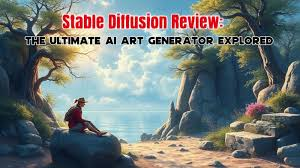
Stable Diffusion supports a wide range of creative tasks. It can generate artwork, realistic photos, concept designs, logos, and even animations. It also allows features like image-to-image generation, where users can upload an existing image and transform it into a new style (for example, turning a photo into an anime illustration). Another useful feature is inpainting, which lets users edit specific parts of an image without changing the whole picture.
The model is widely used in industries such as graphic design, game development, advertising, and content creation. For example, YouTubers use it to create thumbnails, while game designers use it to generate characters and environments quickly. Leonardo AI
However, Stable Diffusion also has some limitations. Running it locally requires a powerful GPU, which may not be available to all users. Additionally, while it offers great flexibility, beginners may find it slightly complex compared to beginner-friendly tools like Leonardo AI.
In terms of cost, Stable Diffusion itself is free to use, but users may need to pay for hardware or cloud services depending on how they run it.
Overall, Stable Diffusion is a highly flexible and powerful AI image generation tool that gives users complete creative freedom. It is especially popular among advanced users and developers who want full control over their AI-generated content.
What is Stable Diffusion?
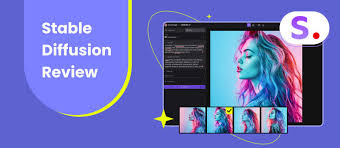
Stable Diffusion is an open-source image generation tool that allows you to create high-quality images from text prompts. Unlike many other platforms, it gives users full control because they can run it on their own computer or use it through online tools.
It’s widely known for its flexibility, customization, and free usage options, making it one of the most powerful creative tools available today.
Who is it for?
Stable Diffusion is ideal for:
- Designers and digital artists
- Developers and tech enthusiasts
- Content creators and YouTubers
- Freelancers and marketers
- Anyone who wants full control over image creation
It’s especially useful for users who like experimenting and customizing outputs.
Why is it popular in 2026?
In 2026, Stable Diffusion is popular because:
- It’s free and open-source
- You can run it locally (no subscription needed)
- It supports custom models and styles
- Strong community support and plugins
- No strict usage limits compared to many tools
2. Key Features
1. Text-to-Image Generation
You can generate images by simply typing a prompt.
Example:
“Cyberpunk city at night with neon lights.”
2. Open-Source Flexibility
You can modify, customize, and even build your own version.
Example:
Developers can integrate it into apps or websites.
3. Local Installation
Run Stable Diffusion on your own PC without internet dependency.
Example:
Design images privately without uploading data online.
4. Custom Models (Checkpoints)
You can download or train models for specific styles.
Example:
Anime, realistic portraits, fantasy art, etc.
5. Image-to-Image Editing
Upload an image and transform it into a new style.
6. Inpainting & Outpainting
- Inpainting: Edit specific parts of an image
- Outpainting: Expand images beyond their borders
7. Extensions & Plugins
Tools like ControlNet add advanced control over poses, depth, and structure.
8. High Customization Settings
You can adjust:
- Steps
- Sampling methods
- CFG scale
- Resolution
This gives professional-level control.
3. How It Works (Step-by-Step)
Step 1: Choose a Platform
You can use:
- Local setup (on your PC)
- Online tools like web apps
Step 2: Install (Optional)
If running locally:
- Install Python
- Download Stable Diffusion files
- Use tools like the AUTOMATIC1111 interface
Step 3: Enter a Prompt
Type what you want.
Example:
“Realistic mountain landscape, sunset, 4K”
Step 4: Adjust Settings
- Image size
- Sampling steps
- Style/model
Step 5: Generate Image
Click generate and wait a few seconds to minutes.
Step 6: Refine Output
- Edit using inpainting
- Change prompts
- Try different models
4. Performance & Speed
Image Quality
Stable Diffusion delivers:
- High-quality and realistic images
- Strong artistic flexibility
- Excellent detail with proper settings
Speed
- Local performance depends on your GPU
- Fast on high-end PCs
- Slower on low-end systems
Reliability
- Works offline when installed locally
- No dependency on servers
- No downtime issues
5. Pricing & Plans
Free Option
- Completely free if installed locally
- No subscription required
Paid Options
- Some platforms offer paid hosting
- GPU cloud services may cost money
Is it worth the money?
Yes, because:
- You can use it for free
- Paid options are optional
- Offers more control than many paid tools
6. Pros and Cons
Pros
- Free and open-source
- Full control and customization
- Works offline
- No usage limits
- Strong community support
- Supports custom models
Cons
- Setup can be difficult for beginners
- Requires a good GPU for best performance
- The interface may feel complex
- Results depend heavily on prompts
7. Best Use Cases
Who should use Stable Diffusion?
- Developers and advanced users
- Designers who want control
- Freelancers creating custom art
- Privacy-focused users
Who should avoid it?
- Beginners who want simple tools
- Users without powerful hardware
- People who prefer ready-made solutions
8. Comparison with Competitors
Stable Diffusion vs Midjourney
- Stable Diffusion: More control and free
- Midjourney: Better artistic output, easier to use
Stable Diffusion vs DALL·E
- Stable Diffusion: Open-source and customizable
- DALL·E: Simple and beginner-friendly
9. Security & Privacy
Stable Diffusion is strong in privacy:
- No data sharing when run locally
- No mandatory cloud storage
- Full control over your files
However:
- Be careful with downloaded models (use trusted sources)
- Keep your system secure
10. Final Verdict
Stable Diffusion is one of the most powerful tools in 2026 for image generation.
It’s best known for:
- Freedom and flexibility
- Zero cost (if used locally)
- Professional-level control
Is it worth using?
Yes, especially if you want full control and free access.
Recommendation:
- Beginners → Use online versions first
- Advanced users → Install locally for maximum power
11. FAQs
1. Is Stable Diffusion free?
Yes, it is completely free if you run it locally.
2. Do I need a powerful PC?
For best results, yes. A GPU is recommended.
3. Can beginners use Stable Diffusion?
Yes, but there is a learning curve compared to simpler tools.
4. Is Stable Diffusion better than Midjourney?
It depends—Stable Diffusion offers more control, while Midjourney is easier.
5. Can I use it offline?
Yes, if installed locally on your computer.
6. Is it safe to use?
Yes, especially when used locally. Just download files from trusted sources.
7. Can I use images commercially?
Yes, but always check the model and license used.
8. What makes Stable Diffusion unique?
Its open-source nature and customization options make it stand out.
9. Does it support video creation?
Not directly, but extensions can help create animations.
10. Is it worth learning in 2026?
Yes, especially for creators and developers who want full control.
11. What is Stable Diffusion used for?
Stable Diffusion is used to create images from text prompts. You can design artwork, social media graphics, thumbnails, product mockups, and even concept art for games or movies.
12. Is Stable Diffusion completely free?
Yes, Stable Diffusion is free if you run it locally on your computer. However, some online platforms or cloud GPU services may charge fees.
13. Do I need a powerful computer to run Stable Diffusion?
For local use, a good GPU (graphics card) is recommended for faster performance. Without it, image generation will be slower but still possible.
14. Can beginners use Stable Diffusion easily?
Yes, but there is a learning curve. Beginners may find online tools easier at first before moving to local installation.
15. Is Stable Diffusion safe to use?
Yes, it is safe—especially when used locally. Just make sure to download models and extensions from trusted sources.
16. Can I use Stable Diffusion offline?
Yes, one of its biggest advantages is that it can run completely offline once installed.
17. Are there any usage limits?
No, there are no strict limits when running Stable Diffusion locally. You can generate as many images as your system allows.
18. Can I use Stable Diffusion images commercially?
Yes, in most cases, you can use the generated images commercially. However, always check the license of the model you are using.
19. What is the difference between Stable Diffusion and other tools?
Stable Diffusion is open-source and highly customizable, while many other tools are cloud-based with limited control.
20. Does Stable Diffusion support video creation?
Not directly, but with extensions and tools, you can create animations or video-like outputs.
21. Is Stable Diffusion worth learning in 2026?
Yes, especially if you want full control, no usage limits, and the ability to create custom visual content professionally.
Conclusion
Stable Diffusion stands out in 2026 as one of the most powerful and flexible tools for image creation. What makes it unique is its open-source nature, giving users full control over how they create, edit, and customize visuals without being locked into a subscription.
It’s not the easiest tool for complete beginners, especially if you plan to install it locally. But once you understand the basics, it becomes incredibly rewarding. You can create anything from realistic photos to stylized artwork—all without ongoing costs.
The biggest advantage is freedom. You’re not limited by tokens, strict rules, or platform restrictions. At the same time, this freedom comes with responsibility—you need to learn prompts, manage models, and handle setup if you want the best results.