
1. Introduction
Leonardo AI is a powerful generative AI tool designed to create high-quality images, artwork, and visual assets using simple text prompts. Launched in 2022, it quickly became popular among designers, marketers, and content creators because of its ability to turn ideas into professional visuals within seconds.
Leonardo AI Review 2026 At its core, Leonardo AI works as a text-to-image generator, meaning you can describe what you want (for example, “a futuristic city at sunset”) and the platform will generate multiple images based on that description. It uses advanced AI models similar to Stable Diffusion to understand prompts and convert them into detailed visuals. Features
One of the biggest strengths of Leonardo AI is its creative control and customization. Users can choose from different AI models, each trained for specific styles like anime, realistic photography, or game design. You can also adjust image size, resolution, lighting, and composition, making it useful for both beginners and professionals. Features
The platform is widely used for many real-world purposes. For example, content creators use it to design YouTube thumbnails, blog images, and social media posts, while game developers use it to generate characters, textures, and environments. It can even turn sketches into polished artwork or animate images into short videos using its motion tools.DALL·E
Another key feature is custom model training, which allows users to train AI on their own style or brand visuals. This is especially useful for businesses that want consistent design output. Leonardo AI also supports batch image generation, negative prompts (to remove unwanted elements), and upscaling for higher quality results.
In terms of pricing, Leonardo AI offers a free plan with limited daily tokens, making it accessible to beginners. Paid plans unlock faster generation speeds, higher-quality outputs, and advanced features like video creation and priority processing.
Overall, Leonardo AI stands out as a complete creative platform, not just an image generator. It combines image creation, editing, and even video features in one place, helping users turn ideas into visual content quickly and efficiently.
What is Leonardo AI?

Leonardo AI is a powerful image-generation and creative design tool that helps users create high-quality visuals using simple text prompts. Whether you want to design game assets, social media graphics, product mockups, or artistic images, this platform makes the process fast and beginner-friendly.
It stands out because of its focus on high-quality, customizable image generation, especially for creators who need professional results without advanced design skills. Features
Who is it for?
Leonardo AI is ideal for:
- Content creators and YouTubers
- Graphic designers and artists
- Game developers
- Bloggers and marketers
- Freelancers selling digital art
Even beginners with no design experience can use it easily.
Why is it popular in 2026?
In 2026, Leonardo AI is popular because:
- It offers studio-quality image generation
- It has a user-friendly interface
- It supports fine-tuned models for specific styles
- It gives a generous free plan
- It helps creators save time and money
2. Key Features
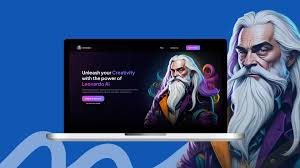
Here are the most important features of Leonardo AI:
1. Text-to-Image Generation
You can type a simple prompt like “futuristic city at sunset”, and it generates high-quality images instantly.
Example:
A YouTuber can create thumbnails without hiring a designer.
2. Custom Models & Fine-Tuning
Leonardo AI allows you to train your own models for specific styles.
Example:
Game developers can create consistent character designs.
3. Image-to-Image Editing
Upload an image and modify it with prompts.
Example:
Turn a normal photo into anime or cinematic style.
4. Canvas Editor
A built-in editor lets you tweak images, add elements, and refine details.
Example:
Design posters or social media creatives directly inside the platform.
5. High-Resolution Output
Images are sharp and detailed, suitable for professional use.
6. Prompt Enhancement Tools
Leonardo helps improve your prompts automatically for better results.
7. Asset Generation for Games
One of its strongest features is creating game assets like:
- Characters
- Weapons
- Backgrounds
8. Fast Generation Speed
Compared to many tools, Leonardo AI generates images quickly—even on the free plan.
3. How It Works (Step-by-Step)

Getting started with Leonardo AI is simple:
Step 1: Sign Up
Create a free account on the Leonardo AI website.
Step 2: Go to Image Generation
Open the “Image Generation” section.
Step 3: Enter a Prompt
Type what you want to create.
Example: “realistic lion in jungle, 4K quality”
Step 4: Choose Settings
- Image size
- Style/model
- Number of images
Step 5: Generate
Click “Generate” and wait a few seconds.
Step 6: Download or Edit
You can:
- Download the image
- Edit it in the canvas
- Re-generate variations
4. Performance & Speed
Image Quality
Leonardo AI produces:
- Sharp details
- Realistic textures
- Creative and artistic outputs
It performs especially well for:
- Game art
- Fantasy designs
- Social media visuals
Speed
- Fast generation (a few seconds per image)
- Batch generation available
- Smooth performance even for beginners
Reliability
- Stable platform with minimal downtime
- Cloud-based system (no heavy hardware needed)
5. Pricing & Plans
Free Plan
Leonardo AI offers a free tier with:
- Daily tokens (limited generations)
- Access to basic models
- Standard resolution output
Good for beginners and testing
Paid Plans
Paid plans include:
- More tokens (more images)
- Faster generation
- Higher resolution
- Premium models
Is it worth the money?
Yes, if you:
- Create content regularly
- Need professional-quality images
- Want faster output
For casual users, the free plan is enough.
6. Pros and Cons
Pros
- Easy to use (beginner-friendly)
- High-quality image output
- Fast generation speed
- Custom model training
- Strong for game assets
- Free plan available
Cons
- The token system can feel limiting
- Some advanced features require paid plans
- Learning prompts take time
- Occasional inconsistent results
7. Best Use Cases
Who should use Leonardo AI?
- YouTubers creating thumbnails
- Bloggers needing images
- Designers working on projects
- Game developers
- Freelancers selling digital art
Who should avoid it?
- Users needing only basic editing tools
- People who don’t want to learn prompt writing
- Those needing full video editing (not its purpose)
8. Comparison with Competitors
Leonardo AI vs Midjourney
- Leonardo AI: More control, better for assets
- Midjourney: More artistic and creative outputs
Leonardo AI vs DALL·E
- Leonardo AI: Better customization and models
- DALL·E: Simpler and more beginner-friendly
9. Security & Privacy
Leonardo AI is generally safe to use:
- Cloud-based system
- User data protection policies
- No major security concerns reported
However:
- Avoid uploading sensitive personal images
- Always check usage rights for commercial work
10. Final Verdict
Leonardo AI is one of the best creative tools available in 2026 for image generation.
It offers:
- Powerful features
- High-quality output
- Beginner-friendly interface
Is it worth using?
Yes.
If you want to create professional images without design skills, Leonardo AI is a great choice.
Recommendation:
- Beginners → Start with the free plan
- Professionals → Upgrade for better results
11. FAQs
1. Is Leonardo AI free to use?
Yes, it offers a free plan with daily tokens, but usage is limited.
2. Can beginners use Leonardo AI?
Yes, it’s designed for beginners and easy to learn.
3. Is Leonardo AI good for YouTube thumbnails?
Yes, many creators use it to design eye-catching thumbnails.
4. Can I use images commercially?
Yes, but always check the platform’s licensing terms before use.
5. How fast is Leonardo AI?
It generates images within seconds, depending on settings.
6. Does it require a powerful computer?
No, it runs on the cloud, so any basic laptop works.
7. Is Leonardo AI better than Midjourney?
It depends on your needs—Leonardo is better for control and assets, while Midjourney is more artistic.
8. What is Leonardo AI used for?
Leonardo AI is mainly used to create images, designs, and visual assets from text prompts. You can generate things like social media graphics, game assets, product mockups, and even short animations.
9. Is Leonardo AI free to use?
Yes, Leonardo AI offers a free plan with daily tokens that you can use to generate images. Paid plans give you more tokens, faster generation, and access to premium features.
10. Do I need technical or coding skills to use Leonardo AI?
No, you don’t need any coding skills. The platform is designed to be beginner-friendly, with a simple interface and helpful guides for new users.
11. Can I use Leonardo AI images for commercial purposes?
Yes, in most cases, you can use the generated images commercially, and users typically retain ownership of their creations. However, it’s always smart to check the latest terms before using them for business.
12. How fast is Leonardo AI?
Leonardo AI is known for fast image generation. The speed depends on factors like image resolution, number of images, and whether you’re using the free or paid plan, but most results are generated within seconds.
13. Can I train my own models in Leonardo AI?
Yes, one of its best features is custom model training. You can upload a small set of images and train a model to generate content in a specific style or theme.
14. Is Leonardo AI safe to use?
Yes, Leonardo AI follows strong security standards (including enterprise-level certifications) to protect user data. Still, you should avoid uploading sensitive personal content.
15. What makes Leonardo AI different from other tools?
Leonardo AI stands out because of its fine control, custom models, and fast generation speed. It gives users more flexibility compared to many other image-generation tools.
16. Can Leonardo AI create videos?
Yes, besides images, Leonardo AI also supports basic video creation and animation features, allowing you to turn static images into short clips.
17. Is Leonardo AI good for beginners in 2026?
Yes, it’s one of the best tools for beginners because of its simple interface, free plan, and easy learning curve. At the same time, it’s powerful enough for professionals.
Conclusion
Leonardo AI has become one of the most reliable tools for creating high-quality images in 2026. It combines powerful features with a simple interface, making it suitable for both beginners and professionals. Whether you’re designing YouTube thumbnails, game assets, blog visuals, or social media content, it helps you get impressive results without needing advanced design skills.
What makes Leonardo AI stand out is its balance between quality, speed, and customization. You get strong creative control, fast generation times, and the ability to fine-tune outputs—something many other tools still struggle with.
However, it’s not perfect. The token-based system can feel limiting on the free plan, and getting the best results may take some practice with prompts. Still, these are small trade-offs considering the value it offers.