
Canva AI is one of the easiest ways to create social media posts, videos, presentations, documents, ads, thumbnails, and marketing designs from one dashboard. Its main advantage is not just image or text generation; it combines these tools with templates, stock content, editing features, brand kits, and team collaboration.
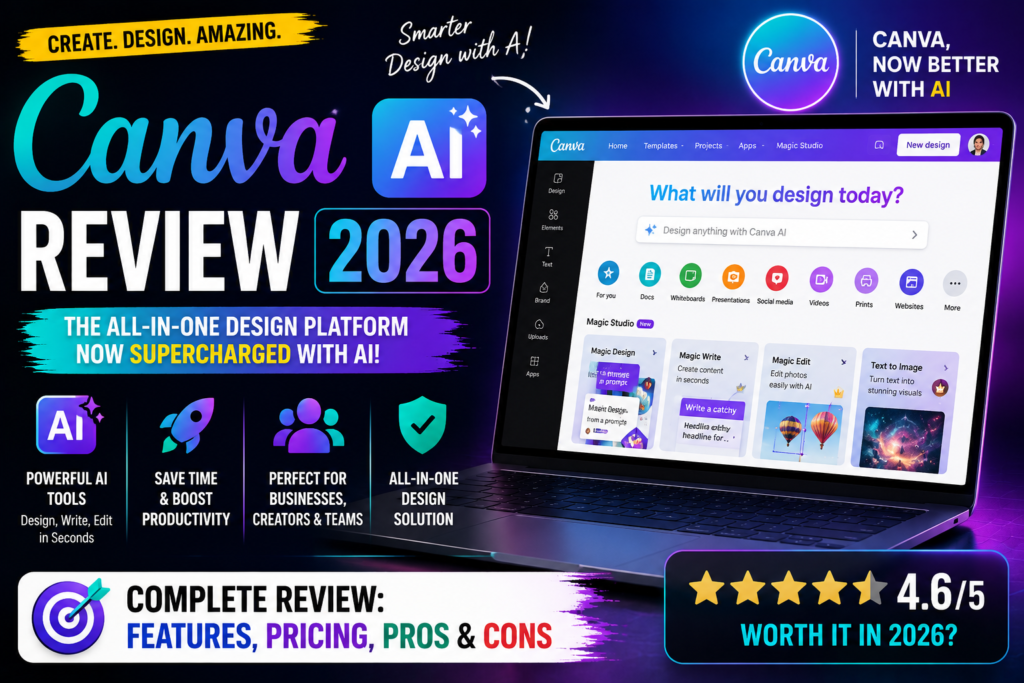
In this Canva AI review 2026, we examine its features, pricing, practical use cases, privacy controls, performance, advantages, limitations, and alternatives. We also explain whether Canva is worth paying for in 2026 and which plan offers the best value for creators, marketers, freelancers, and small businesses.
Key Standout Feature: AI-assisted design generation for images, presentations, social media posts, and more.
One-Line Verdict: A powerful AI design assistant that makes creating professional visuals fast, easy, and affordable.
Quick Verdict
Canva AI is best for users who want fast, attractive visual content without learning complex software such as Photoshop, Illustrator, or advanced video editors. It is particularly useful for social media managers, bloggers, teachers, YouTubers, small businesses, and marketing teams.
| Category | Verdict |
|---|---|
| Overall rating | 8.5/10 |
| Best for | Social media, marketing, presentations, thumbnails, simple videos |
| Not ideal for | Advanced graphic design, professional illustration, complex video production |
| Free plan | Available with limited features |
| Pro pricing | Around $15–$18 per month, depending on region and billing |
| Main strength | Large design ecosystem with built-in smart tools |
| Main weakness | Generated content can require editing and usage limits can be unclear |
Canva is not a VPN or privacy application. It cannot hide your IP address, encrypt all internet traffic, or protect you from unsafe websites. If privacy is your main concern, use a reputable VPN separately and review Canva’s account, sharing, and content settings before uploading sensitive material.
What Is Canva AI?
Canva AI is a collection of smart design features built into Canva’s broader visual content platform. These features are available through tools such as Magic Studio, Magic Write, Magic Design, Magic Media, Magic Eraser, Magic Edit, Magic Expand, and related editing functions.
Instead of opening separate software for writing, image creation, video editing, presentations, and document design, users can complete most tasks inside Canva. The generated output also remains editable in the Canva editor rather than becoming a completely fixed file.
Canva’s official pricing page says the Pro plan includes premium templates and media, Brand Kits, background removal, resizing, translation, cloud storage, and more than 25 smart creative tools.
The platform is designed for speed and accessibility. A beginner can choose a template, replace the text and images, adjust the colours, and export a finished design in minutes.
Who Is Canva AI Designed For?
Content creators
YouTubers, bloggers, Instagram creators, and newsletter publishers can use Canva to create thumbnails, social media posts, carousels, banners, reels, and promotional graphics.
A content creator could turn one blog article into:
- A Pinterest pin.
- An Instagram carousel.
- A LinkedIn post image.
- A YouTube thumbnail.
- A short video.
- A presentation summary.
- An email banner.
Digital marketers
Canva is useful for SEO and digital marketing teams that need regular visual content. A marketer can create campaign graphics, lead magnets, infographics, landing-page visuals, ad creatives, and branded reports without depending on a designer for every small task.
Small businesses
Restaurants, agencies, real-estate companies, local stores, coaches, and online sellers can use Canva to prepare promotional designs, menus, flyers, business cards, catalogues, and social media campaigns.
Teachers and students
Canva provides templates for lesson plans, classroom posters, presentations, certificates, worksheets, and educational videos. Students can create project presentations, research posters, resumes, and infographics.
Teams and agencies
Marketing agencies and internal teams can use Brand Kits, shared folders, content calendars, templates, comments, permissions, and collaboration tools to maintain a consistent visual identity.
How Canva AI Works
A typical workflow looks like this:
- Create a free Canva account.
- Choose a design type or start from a blank canvas.
- Select a template or describe the desired design.
- Add text, images, video, charts, or uploaded files.
- Use Magic Studio features to generate or edit content.
- Adjust colours, typography, spacing, and layout.
- Check facts, spelling, licences, and brand rules.
- Share the design or export it in the required format.
The biggest benefit is that generation and editing happen in the same workspace. Instead of receiving a flat image that cannot be changed easily, users can often continue editing the result using Canva’s normal design tools.
Features Breakdown
1. AI-Powered Design Suggestions
Canva AI analyzes your project type and suggests layouts, templates, and color schemes automatically.
Use Case:
- Social media managers can generate Instagram posts or LinkedIn graphics in minutes without manual design work.
2. Text-to-Image AI
Convert text prompts into stunning visuals using AI.
Use Case:
- Freelancers can generate custom illustrations for blogs, ads, or presentations.
- Example: “Create a futuristic cityscape illustration” instantly produces a high-quality image.
3. Magic Resize & Smart Templates
Automatically resize designs for different platforms (Instagram, Facebook, Pinterest, YouTube) and adapt content without losing quality.
Use Case:
- Businesses repurpose marketing materials efficiently across multiple channels.
4. AI Copywriting & Content Tools
Generate captions, taglines, or marketing copy within Canva AI.
Use Case:
- Creators can produce catchy social media captions, email headers, or product descriptions quickly.
5. Brand Kit & Collaboration Tools
Maintain consistent branding and collaborate seamlessly with team members.
Use Case:
- Marketing teams can share templates, logos, and brand colors to ensure consistency across campaigns.
6. Presentation & Video AI Tools
Create AI-assisted presentations and videos with automated animations, transitions, and voiceovers.
Use Case:
- Small business owners or educators can produce professional videos without hiring a designer.
Main Features
Magic Design
Magic Design creates design suggestions from a prompt or uploaded media. For example, you might upload a product image and ask Canva to create a set of promotional social media designs.
It can help with:
- Instagram posts.
- Presentations.
- Flyers.
- Posters.
- Video layouts.
- Marketing campaigns.
- Product announcements.
The first result is usually a draft rather than a finished campaign. You may still need to change the headline, shorten the text, replace the image, adjust the layout, and verify the brand colours.
Magic Write
Magic Write helps users create, rewrite, summarise, expand, shorten, or adjust text inside Canva. It can be useful when preparing captions, headlines, presentation copy, product descriptions, scripts, and short marketing text.
For example, a VPN marketer could ask Canva to turn a technical explanation about public Wi-Fi risks into a short social media caption. The output may provide a useful starting point, but it should be edited for accuracy, originality, tone, and compliance.
Several 2026 reviews note that Canva’s writing output can sound generic and may require substantial editing for serious marketing content .aisotools
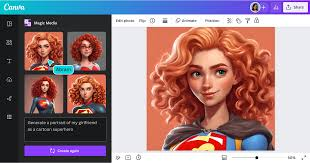
Magic Media
Magic Media creates images, graphics, and short videos from written prompts. Canva’s help documentation says the tool can be used to create photos, graphics, and videos directly inside the editor.
This is convenient because users do not need to download an image and then move it into another design application.
Practical examples include:
- A futuristic background for a technology blog.
- A product mock-up for an advertisement.
- A travel image for a social post.
- A short background clip for a video.
- An illustration for a presentation.
- A visual concept for a blog thumbnail.
The output is not always perfect. Product shapes, hands, text, logos, faces, and small details may look incorrect. PicLumen’s 2026 review found that Canva works well for quick images, background changes, and short visual inserts, but noted limitations with product accuracy, video control, and face consistency.
Magic Edit
Magic Edit allows users to select part of an image and replace or add an element using a written instruction.
For instance, you might select an empty table and ask Canva to add a laptop, plant, coffee cup, or product box. This is helpful for marketing mock-ups and social media images.
However, the edited object may not match the original lighting, perspective, or style. Check the image carefully before using it in a commercial campaign.
Magic Eraser
Magic Eraser removes unwanted objects from photos. It can help clean up:
- Background people.
- Cables.
- Small signs.
- Dustbins.
- Unwanted furniture.
- Minor distractions.
The feature works best when the unwanted object is relatively small and surrounded by a simple background. Removing a large object from a complicated scene may leave visible distortions.
Magic Grab and object editing
Canva can identify objects in an image and make them movable or editable. This is useful when you want to reposition a person, product, or design element without recreating the entire image.
This feature can save time for social media graphics and marketing banners. It is less reliable when the image contains overlapping objects, fine details, or unusual backgrounds.
Background Remover
Background Remover is one of Canva Pro’s most practical tools. It can isolate a product, person, or object and place it on another background.
A small online store could use it to create:
- Product images on a plain background.
- Seasonal promotional banners.
- Marketplace listing photos.
- Product comparison graphics.
- Social media advertisements.
The quality depends on the original image. Hair, transparent objects, shadows, and low-contrast edges may need manual correction.
Magic Expand
Magic Expand extends an image beyond its original borders. This is useful when a photograph does not fit the required aspect ratio.
For example, a portrait image can be expanded into a horizontal banner for a website or YouTube channel. The added background may look convincing for simple scenes but can appear artificial when the image contains architecture, text, or complex objects.
Presentations
Canva can help create slide decks from a topic, outline, or existing content. Users can then customise layouts, add charts, include images, and apply brand colours.
The presentation feature is useful for:
- Sales decks.
- Investor presentations.
- Training material.
- Company updates.
- School projects.
- Webinar slides.
- Client proposals.
Canva offers more creative freedom than structured presentation tools such as Beautiful.ai, but it may require more manual editing to keep a large deck consistent.
Video creation
Canva includes a timeline editor, stock footage, music, transitions, subtitles, templates, and tools for creating short videos.
It is suitable for:
- Reels.
- TikTok videos.
- YouTube Shorts.
- Product teasers.
- Explainer clips.
- Social advertisements.
- Simple tutorials.
It is not a full replacement for professional video software when you need advanced colour grading, detailed audio mixing, multi-camera editing, or complex effects.
Brand Kits
Brand Kits allow users to save brand colours, fonts, logos, and other identity elements. Canva’s official Pro information lists Brand Kits among the features available to paid users.canva
This is valuable for agencies and marketing teams because every team member can work from the same visual rules.
A brand kit can help prevent:
- Incorrect logo versions.
- Unapproved colours.
- Inconsistent fonts.
- Poor spacing.
- Different visual styles across campaigns.
Resize and translate
Canva can resize one design for multiple platforms. A square Instagram design can be adapted for a story, banner, presentation, poster, or other format.
Translation tools can also help adapt content for different languages. Always review translated text manually, especially for technical subjects, regional expressions, and regulated industries.
Canva Sheets and Magic Charts
Canva Sheets connects data with visual design. Its Magic Charts tool can convert spreadsheet information into visualisations that update with the source data.
This may be useful for marketers preparing monthly reports or social media performance summaries. It is not intended to replace advanced spreadsheet modelling or business intelligence software.
Collaboration and content planning
Teams can share folders, review designs, leave comments, manage access, and schedule social content. Agencies can create separate workspaces for different clients and give team members controlled access.
The exact collaboration and administration features depend on the plan. Small teams should check the current user limits, storage, permissions, and approval options before subscribing.
Pros & Cons
Pros:
- Very easy for beginners.
- Free plan available.
- Large template and stock-content library.
- Social media, presentation, document, and video tools in one place.
- Strong background removal and image-editing features.
- Useful Brand Kits for consistent designs.
- Supports team collaboration.
- Designs remain editable after generation.
- Works in a browser and on mobile.
- Suitable for marketing, education, and small businesses.
- Fast and easy-to-use AI design tools.
- Wide library of templates and stock assets.
- Multi-platform support (social media, presentations, print).
- Collaboration features for teams.
- Affordable compared to hiring professional designers.
Cons:
- Generated images may contain visual errors.
- Text inside generated images may be distorted.
- Video controls are limited compared with professional editors.
- Writing suggestions can sound generic.
- Usage limits may be difficult to understand.
- Premium assets require a paid plan.
- Canva designs can look repetitive without customisation.
- Advanced designers may find the editor restrictive.
- Large projects can affect browser performance.
- Privacy settings require careful review.
- It is not a VPN or complete security tool.
- Advanced AI features require a paid plan.
- Some generated designs may need manual refinement.
- Limited offline functionality.
- AI-generated copy can occasionally sound generic.
Pricing in 2026
Canva has a free plan, a Pro plan, a Teams or Business plan, and Enterprise options. The exact price can vary by country, tax, user type, and billing period.
Free plan
The free plan is enough to test Canva and create basic designs. It includes a large selection of templates and design tools, but premium assets and advanced features are restricted.
Typical limitations include:
- Fewer premium templates.
- Limited stock content.
- Limited monthly usage for selected smart tools.
- No full Brand Kit access.
- Restricted background removal.
- Less storage than paid plans.
- Limited premium export options.
The free plan is useful for students, occasional users, and people who want to learn the editor.
Canva Pro
Canva Pro is designed for individual creators and freelancers. The official pricing page lists the annual Pro plan at €110 per year in one regional version, while third-party 2026 sources commonly report prices near $120–$180 per year depending on the market and billing method.
The Pro plan typically includes:
- Premium templates and media.
- Brand Kits.
- Background Remover.
- Magic Resize.
- More storage.
- More monthly usage allowances.
- Content scheduling.
- Premium fonts and graphics.
- Additional photo and video tools.
- Expanded Magic Studio access.
Canva Business or Teams
The Business or Teams plan is aimed at groups that need collaboration, brand management, approval workflows, and administration. Third-party pricing sources report figures around $20–$25 per user per month, although the actual price should be checked on the official billing page.
Enterprise
Enterprise pricing is customised. It may include advanced administration, single sign-on, security controls, user management, support, and larger organisational features.
Is Canva Pro worth the price?
Canva Pro is good value if you use it weekly or need premium assets, background removal, brand tools, and resizing. It may not be worth paying for if you only make occasional posters or social media images.
For users in India, calculate the final cost after GST, currency conversion, and payment charges. Annual billing is usually more affordable than monthly billing, but only choose it if you expect to use Canva throughout the year.
Performance & User Experience
Ease of use
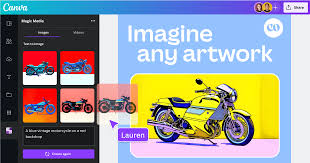
Canva remains one of the easiest design platforms for beginners. Its drag-and-drop editor, search function, templates, and organised menus reduce the learning curve.
Speed
Canva is fast for ordinary social media graphics and presentations. Smart editing features can reduce repetitive work, but video generation and large designs may take longer.
Output quality
The final result depends heavily on the prompt, template, source image, and manual editing. Canva’s strongest area is post-generation editing: users can continue modifying the output inside the same design workspace.
Reliability
The browser editor generally works well, but users with slow internet, older devices, or large video projects may notice delays. Save important work and avoid waiting until the last minute to export a client project.
Generated content quality
Canva’s image tools are suitable for backgrounds, concepts, social posts, and simple marketing visuals. They are less dependable for accurate product photography, logos, hands, faces, readable text, and highly specific scenes.
Real Use Cases
Real-World Use Cases
SEO and content marketing
A content team can turn one article into a complete visual campaign. For example, a blog about VPN privacy could become a carousel explaining public Wi-Fi risks, a comparison graphic showing encryption features, and a video summarising the article.
Social media
Canva is excellent for creating platform-specific posts, stories, banners, and thumbnails. Templates speed up production, but customising colours, imagery, and copy helps avoid a generic appearance.
E-commerce
Online sellers can create product banners, sale announcements, catalogues, and listing images. Background removal is particularly helpful for product photos.
Presentations
Canva can produce attractive presentations quickly. It works well for marketing proposals, webinars, workshops, and school projects.
Freelance agencies
An agency can maintain separate brand kits for different clients and use templates to deliver regular social content faster.
Privacy and Security
Canva is a cloud platform, so users should think carefully before uploading confidential content. Canva’s privacy help page states that users can control certain data-sharing settings, including whether their content is used to improve its smart features. It also says that content is not used for training unless the relevant permission is enabled, while general activity settings may be enabled by default.
Users should review the privacy settings instead of relying on default options.
Do not upload:
- Passwords or API keys.
- Private VPN configuration files.
- Customer databases.
- Confidential business plans.
- Private cryptocurrency wallet information.
- Unreleased financial documents.
- Sensitive employee records.
- Proprietary product designs without approval.
Canva recommends account protection features such as multi-factor authentication. Teams should also review sharing links, folder permissions, external collaborators, and administrator access.
Canva says Magic Studio is protected by Canva Shield and provides guidance for using generated content safely and legally. It also notes that commercial use must follow its product terms and content licences.
A VPN can protect your connection while using Canva on public Wi-Fi, but it does not decide who can access your designs or how uploaded content is managed. Network privacy and cloud-platform privacy are different issues.
Canva AI Alternatives
Adobe Express
Adobe Express is a strong alternative for users who already use Photoshop, Illustrator, or Creative Cloud. It offers templates, image editing, video tools, and brand features.
Microsoft Designer
Microsoft Designer is suitable for simple social graphics, posters, and quick image concepts. It may be convenient for users already using Microsoft 365.
Figma
Figma is better for interface design, collaborative product work, and detailed layout control. It has a steeper learning curve than Canva.
VistaCreate
VistaCreate offers templates and social media design features and may appeal to users looking for a Canva-style alternative.
Adobe Photoshop
Photoshop is better for advanced image editing, compositing, and professional control. It is harder to learn and usually slower for producing large volumes of simple social content.
comparison
| Feature | Canva AI | Beautiful.ai | Microsoft Designer | Adobe Express | Gamma |
|---|---|---|---|---|---|
| Best For | All-in-one design | Presentations | Social media graphics | Professional branding | AI presentations |
| Ease of Use | ⭐⭐⭐⭐⭐ | ⭐⭐⭐⭐⭐ | ⭐⭐⭐⭐☆ | ⭐⭐⭐⭐☆ | ⭐⭐⭐⭐⭐ |
| Templates | Large library | Presentation-focused | Good | Large library | Moderate |
| Image Generation | Yes | Limited | Yes | Yes | Yes |
| AI Writing | Yes | Basic | Yes | Yes | Yes |
| Presentation Creator | Excellent | Excellent | Basic | Good | Excellent |
| Photo Editing | Excellent | Limited | Good | Excellent | Basic |
| Background Remover | Yes | No | Yes | Yes | No |
| Team Collaboration | Excellent | Excellent | Good | Excellent | Good |
| Free Plan | Yes | Limited | Yes | Yes | Yes |
| Paid Plans | Affordable | Mid-range | Affordable | Premium | Mid-range |
| Platforms | Web, Windows, Mac, Android, iOS | Web | Web | Web, Windows, Mac, Mobile | Web |
Which Tool Should You Choose?
- Choose Canva AI if you want an all-in-one platform for presentations, social media, videos, documents, image editing, and team collaboration.
- Choose Beautiful.ai if your primary focus is creating polished business presentations quickly.
- Choose Microsoft Designer if you mainly create social media graphics and already use Microsoft services.
- Choose Adobe Express if you need advanced branding, professional creative tools, and strong Adobe ecosystem integration.
- Choose Gamma if you want to generate modern presentations, documents, and web pages with minimal manual design.
Final Verdict
Recommendation:
[Canva AI] is ideal for freelancers, creators, marketers, and businesses that need professional designs fast without extensive skills. Its AI tools, template library, and collaboration features make it a must-have in 2026.
Who Should Avoid It:
- Users seeking fully offline design tools.
- Those wanting hyper-specialized AI design features that are not yet available in Canva AI.
FAQs
1. Is Canva AI free?
Yes, the free plan provides basic templates and AI tools. Advanced features require a paid subscription.
2. Is Canva AI safe?
Yes, Canva follows strict security protocols. Your designs and data are secure on the cloud.
3. What’s the best alternative to Canva AI?
Adobe Express, Fotor AI, and Visme are strong alternatives depending on your focus, but Canva AI offers the broadest AI design features.
4. Can Canva AI generate videos?
Yes. You can create AI-assisted video presentations with animations, voiceovers, and transitions.
5. Is Canva AI worth it in 2026?
Absolutely. Its AI-powered tools save time, improve design quality, and support team collaboration effectively.
6. Can Canva AI create social media posts?
Yes. With Magic Resize and templates, you can generate posts optimized for Instagram, Facebook, Pinterest, and more.
7. Can businesses collaborate using Canva AI?
Yes. The Teams plan allows multiple users to collaborate, maintain brand consistency, and share templates seamlessly.
8. Does Canva AI work on mobile devices?
Yes. Canva AI is fully mobile-compatible via apps and browsers.
9. Can Canva AI replace a professional designer?
It can handle most routine design tasks efficiently, but human designers are still recommended for highly customized or complex branding projects.
10. How fast is Canva AI?
Designs, AI suggestions, and resizing happen almost instantly, making the workflow much faster for freelancers and teams.
Conclusion
In 2026, Canva AI stands out as one of the most versatile and user-friendly AI-powered design platforms. Whether you are a freelancer, creator, marketer, or business owner, it offers tools that simplify and speed up design, content creation, and collaboration. With AI-powered templates, text-to-image generation, Magic Resize, and team collaboration features, Canva AI reduces the time and effort required to produce professional-quality visuals.
While advanced features require a paid subscription, the free plan is still valuable for casual users or those just getting started. Alternatives like Adobe Express and Fotor AI exist, but Canva AI’s combination of ease of use, AI capabilities, and multi-platform support makes it a top choice for most users.
Final Verdict: Canva AI is highly recommended for anyone who wants to create stunning visuals quickly, maintain brand consistency, and boost productivity. It’s worth investing in, especially for freelancers, businesses, and content creators who want professional results without the steep learning curve of traditional design tools.